


 Main Menu
ScreenPal: The new, the cool, and a little AI magic
with Leslie Fisher
Discover what’s new with ScreenPal in this engaging on-demand webinar featuring education technology expert Leslie Fisher! Explore the latest AI-powered tools and features designed to simplify video creation, save time, and enhance teaching and learning. See how to turn slides into videos, generate captions and translations, create interactive quizzes, and streamline editing with the new AI Video Editor. Plus, learn about updates to Google Classroom integration, quiz grade syncing, and AI narration. Watch the on-demand recording and explore the accompanying tutorials and resources to start putting these tools into action.
Watch on demand and learn what’s new, what’s cool, and add a little AI magic to your videos.
Presented by
Leslie Fisher, lesliefisher.com
On-demand recording
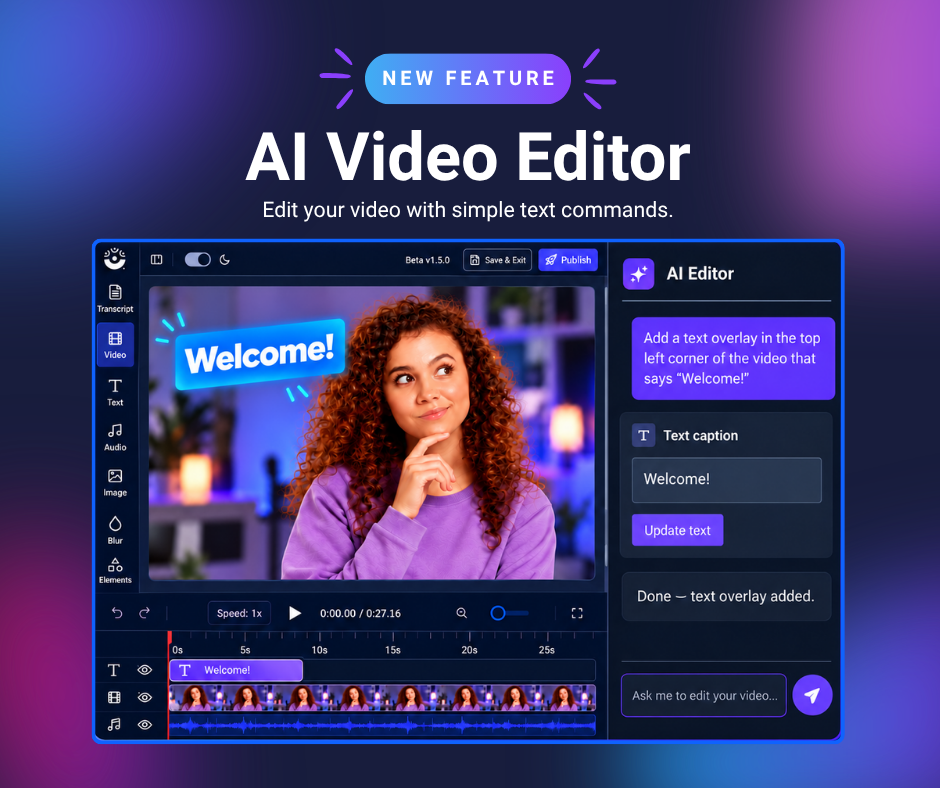
AI Video Editor
Need an attendance certificate?
No problem! Just fill out the survey and one will be provided to you as soon as possible.
Learn how to use the features from Leslie’s webinar
Hide cursor, webcam, or drawings

Replace freeze frame

Highlight overlay with zoom

Zoom in on main video

Add a text overlay

Overlay shape

Channels

Chapters
Generate title, summary, captions, and chapters
AI text-to-speech multilingual narration
Add audio descriptions to videos
Add call-to-action and annotation buttons
Looking to implement video across your school district?
See how ScreenPal can support secure, accessible, and engaging video learning for your entire team.


