Main Menu
Video creation has never been easier, but sometimes you still need a little help getting started with your script or sourcing stock media to pull together a polished video.
That’s where ScreenPal’s latest AI video tools come in. Now you can simply type out your idea, quickly generate a video script with AI, then turn your script into a complete video with a simple click. You can share your video immediately or review and update individual scenes.
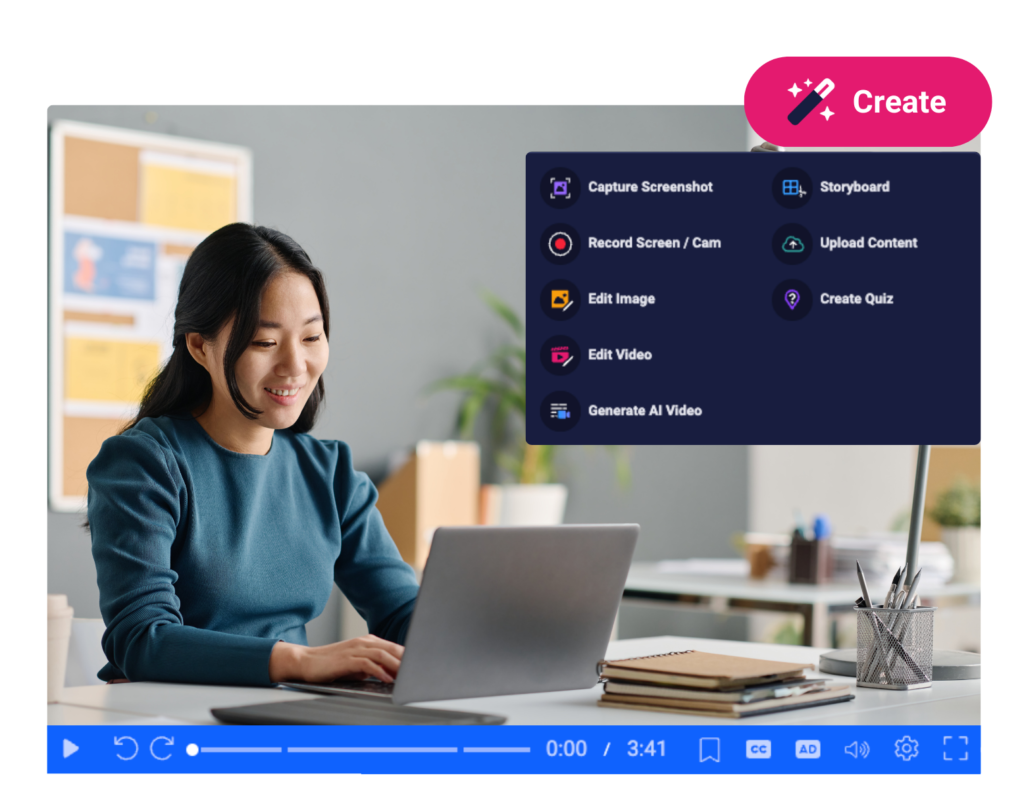
ScreenPal’s AI text to video generator is fully integrated with your video creation and management tools. You can access this newest tool from your Create menu or your Account Home Page. Edit any AI video in the video editor, add interactive elements, then share with a link or embed anywhere.
Here’s how ScreenPal’s AI video generator works:
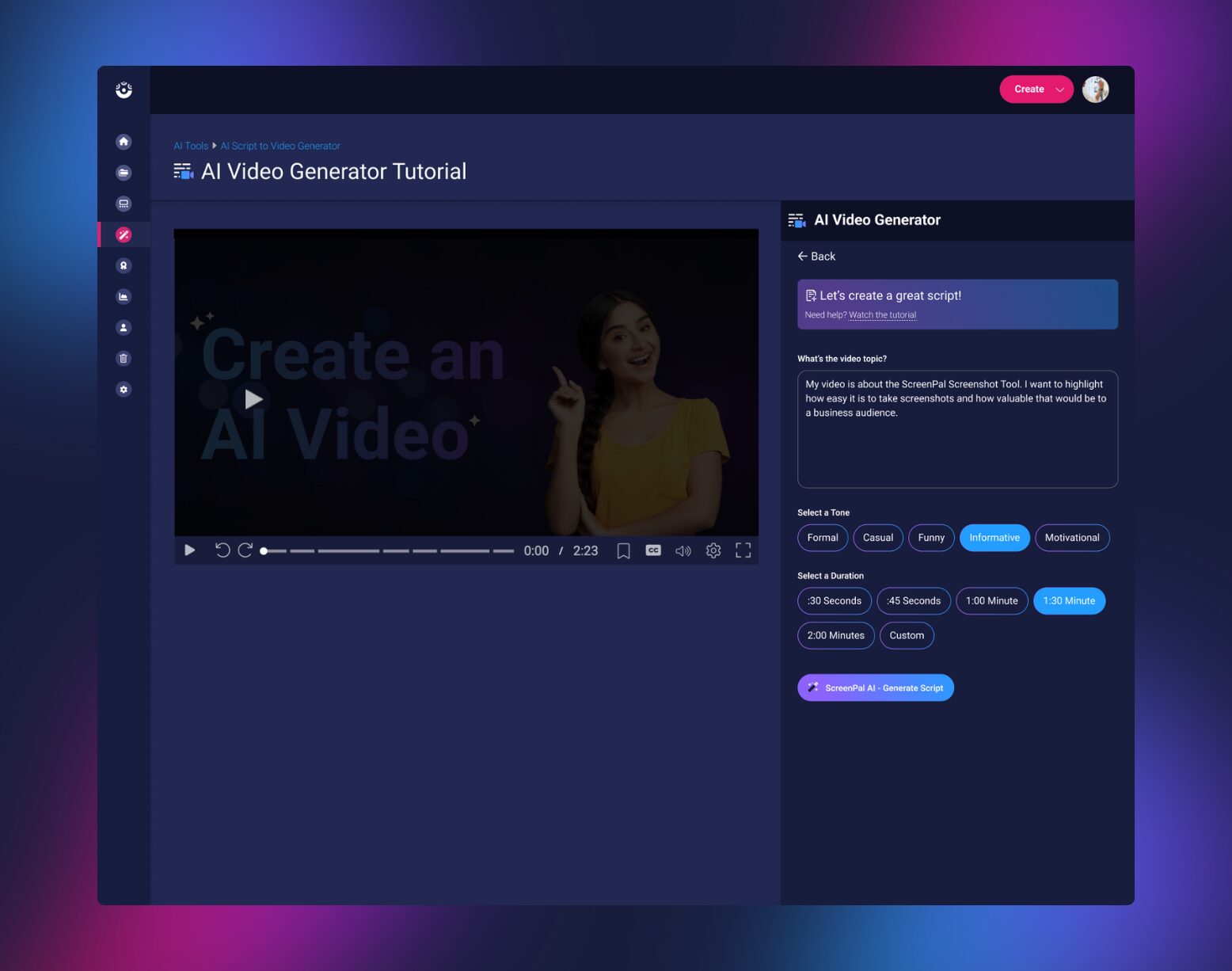
Describe your video topic.
You can write a short, one-sentence description, like “Create a how-to video on organizing your workspace for productivity“ or “Create an internal communications video to coach a team member on how to have efficient and productive project update calls with clients.” Or you could write a few sentences to give more context and background on your video topic and idea.
Select a tone.
Are you creating a formal video presentation? An informative how-to video? A funny clip for social media? Choose the most appropriate tone for your video topic, audience, and goal.
Select a duration.
You may be creating a 30-second video ad, a one-minute how-to, a two-minute explainer video, or a longer presentation. Set your desired video length, and ScreenPal will generate a script to match it.
Generate your video script.
Select “Generate Script.” It’s that easy! Your script will generate in the familiar format of a ScreenPal video timeline. You can edit as needed, add any additional text, and then choose to download your script and/or generate a video from your script.
Generate an AI video.
Once you select “Generate AI video,” ScreenPal will return a video featuring stock footage chosen based on your script, along with professional-sounding AI voice-over narration. Preview your video. If you’re happy with it, select “Generate final AI video” to save and share. If you’d like to see additional footage options, choose any scene and then select the “Shuffle” button to see alternative video clips.
Save your video.
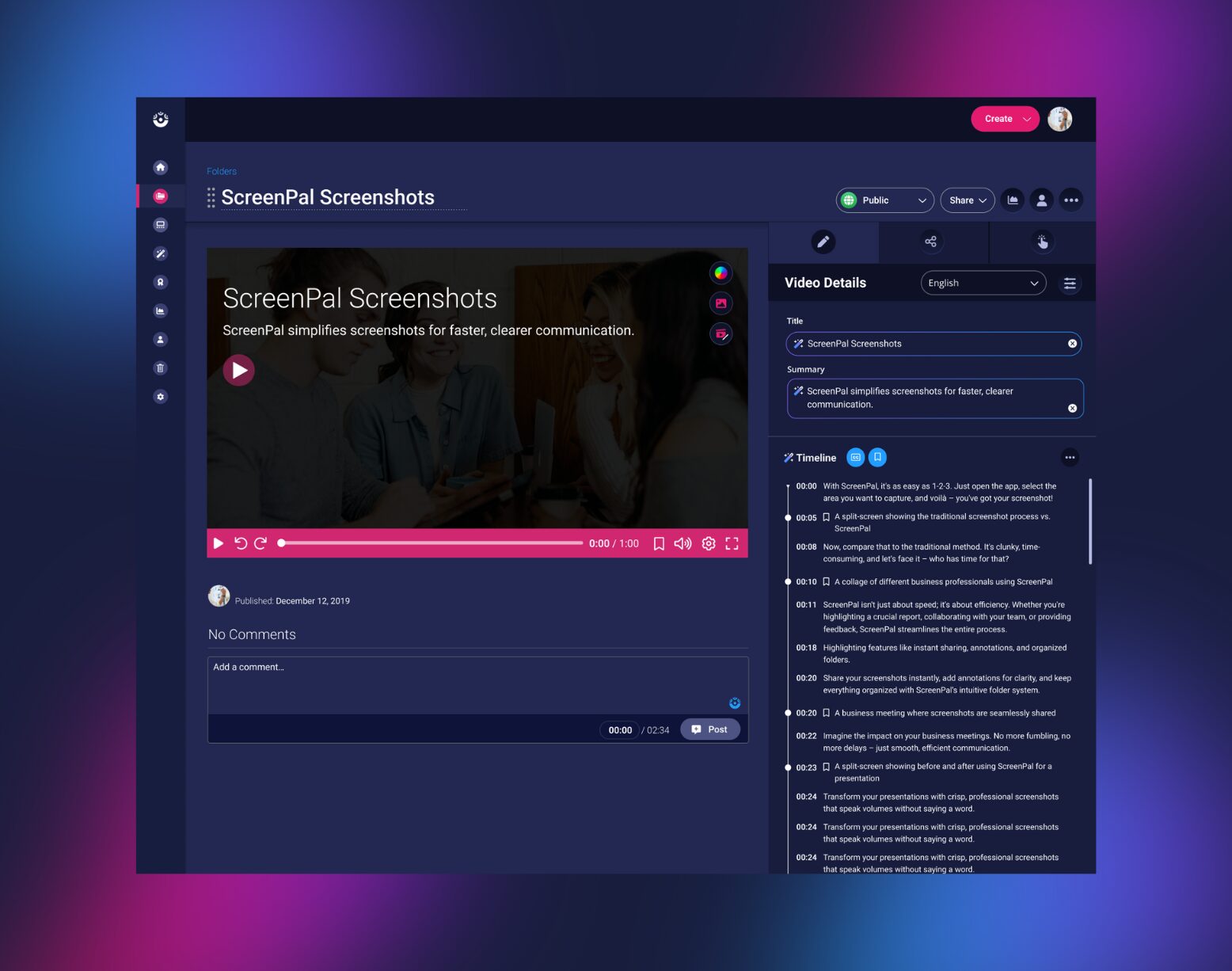
Select “Generate final AI video” to save your final video to your hosting account with captions and chapters already added for you. You can share your video with a link, embed it anywhere, or turn it into a video quiz or poll for added engagement.
Get started with AI-powered video creation and sharing.
Sign up for free or log in to generate a video with AI, edit online, and share!
Ready to bring ScreenPal to your team or organization? Reach out for a demo or get an instant online quote.