Main Menu
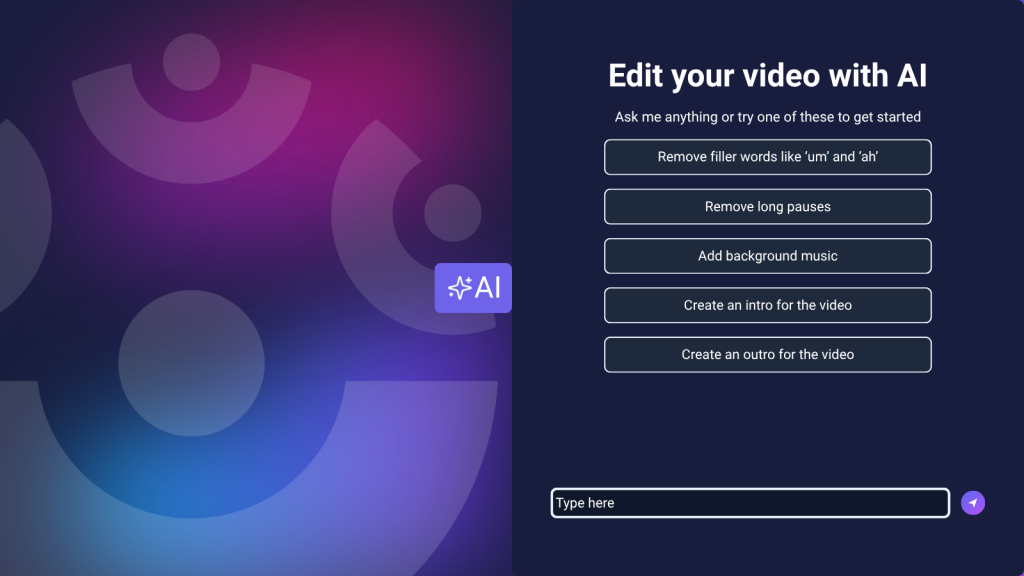
Video editing just got easier with ScreenPal’s new AI Video Editor.
With this new feature, you can make changes to your video using simple text commands, right inside the Online Video Editor. Instead of searching through menus or manually making every adjustment, simply tell the AI editor what you want to change.
Remove pauses. Cut filler words. Add music. Insert new video sections. Create text and element overlays. You can even ask AI to help build an intro or outro.
It’s a faster, more conversational way to edit, while still giving you the flexibility to fine-tune every detail yourself.
Unlike AI creation tools that limit your ability to make changes or force you to start over when something isn’t quite right, ScreenPal puts you in control. Combine AI-powered edits with a full suite of manual editing tools, revisit previous changes, and refine your video without losing the work you’ve already done. It’s the flexibility to create your way, without wasting time starting from scratch.
What is the ScreenPal AI video editor?
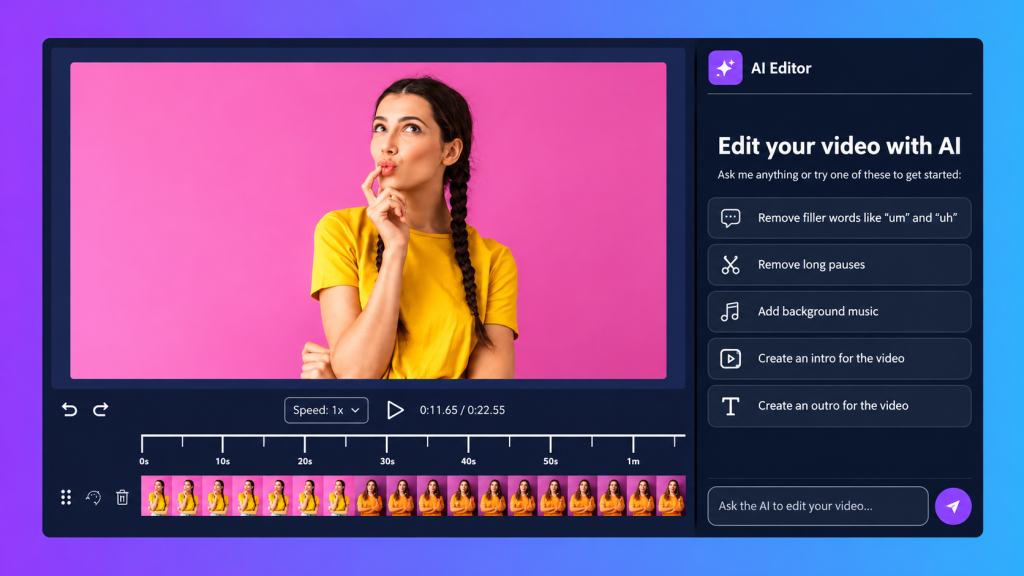
The ScreenPal AI video editor brings conversational editing directly into your existing ScreenPal workflow.
Once you open a hosted video in the Online Video Editor, you can use the AI tab to describe the changes you want to make. The AI Editor interprets your request and applies those edits to your video.
You’ll see examples of commands you can try, or you can enter your own request in the text box.
That means you can spend less time figuring out how to make an edit and more time deciding what will make your video better.
How to use ScreenPal’s AI Video Editor
Getting started takes just a few clicks.
From your ScreenPal online hosting account, choose the video you want to edit. Click the Edit Video icon, then select Edit Online to launch the online video editor.
Once your video opens, click the AI tab to display the AI Editor.
You’ll see examples of the types of commands you can provide. Enter a command in the text box describing what you’d like to change, and let the AI editor help you get to work.
You can continue giving it commands as you refine your video.
Remove pauses and filler words with the AI Video Editor
Cleaning up a recording is often one of the most time-consuming parts of editing.
With the AI video editor, you can ask ScreenPal to remove pauses and filler words from your video transcript, helping you tighten your content and create a smoother viewing experience.
Instead of manually searching for every “um,” “uh,” or unnecessary pause, use a simple text command to tell the AI editor what you want removed.
You can then review the results and make additional adjustments as needed.
Add music, video, text, and other elements
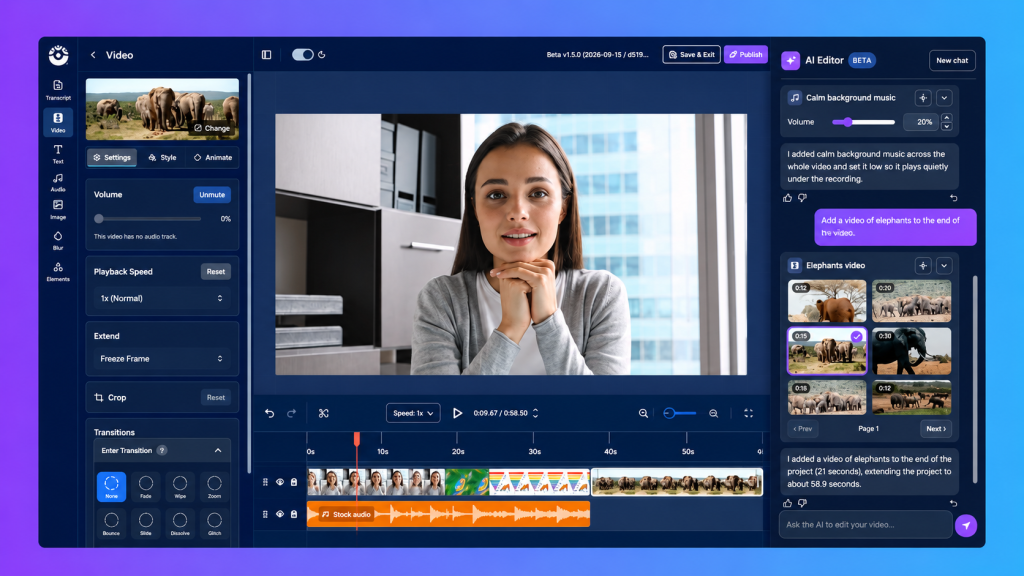
The AI video editor can help with more than trimming your recording.
Use text commands to add music tracks, insert additional sections of video, or add text and element overlays to support your message.
Need a stronger opening or ending? You can even use the AI editor to help create an intro or outro for your video.
These tools make it easier to move from a raw recording to a more polished video without having to manually build every element from scratch.
AI-powered editing without sacrificing creative control
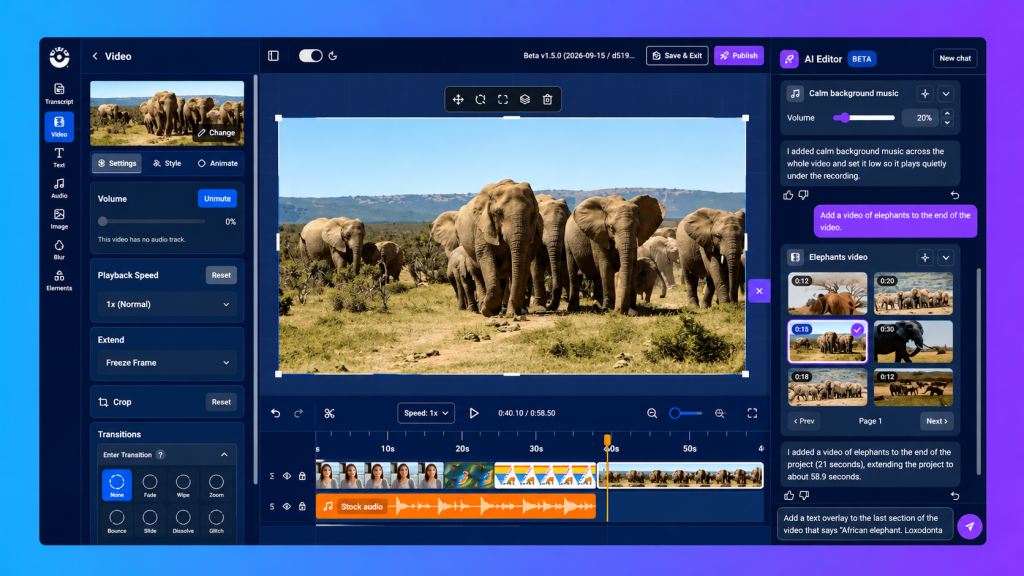
Using AI shouldn’t mean giving up control of your video or starting over every time you want to make a change.
With ScreenPal, AI is just one part of a complete video editing experience. Unlike standalone AI creation tools that may limit how you can refine your results, ScreenPal combines the convenience of conversational editing with the flexibility of a full video editing suite.
After AI makes a change, you can jump right into the familiar Online Video Editor to fine-tune individual elements, adjust timing, rearrange clips, or make additional edits yourself. You can also return to the AI chat and continue refining your video with new commands.
The best part? You don’t have to choose between AI and manual editing. Both work together in the same timeline, giving you the freedom to experiment, make adjustments, and build on your progress without starting from scratch.
It’s AI-powered efficiency with the creative control you expect from a full-featured video editor.
Change your mind? Easily undo an AI edit
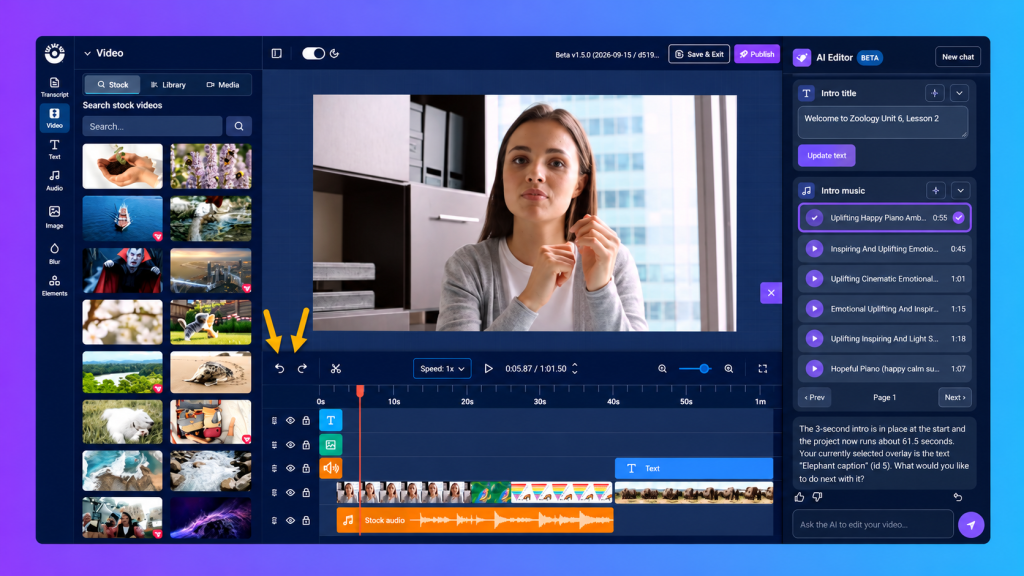
Experimenting is part of the editing process, so you can easily reverse changes that don’t work the way you expected.
Use the undo and redo icons in the online video editor to move backward or forward through your changes.
You can also return to the AI chat and click the right-side arrow beneath an edit you’d like to revert.
Use the thumbs up/thumbs down icons to provide like/dislike feedback for AI-generated edits.
That makes it easier to try different ideas without worrying about getting every edit right on the first attempt.
Keep your progress, not just your final result
Great videos often take a little experimentation. With ScreenPal, you don’t have to worry about losing your progress every time you try something new.
Your AI editing history stays available when you hide and reopen the AI Editor, making it easy to revisit previous requests and continue refining your video.
Combined with ScreenPal’s undo and redo tools, you have the flexibility to explore different ideas, reverse changes, and adjust your edits without rebuilding your video from the beginning.
Need a fresh conversation? Simply select New Chat to clear your previous AI chat history and start a new conversation.
With ScreenPal, AI helps move your creative process forward instead of forcing you to start over.
Publish and share your finished video
Once you’re happy with your edits, click Publish. Your changes will be Published to your ScreenPal hosting account, and you’re ready to share it with your audience.
Not ready to publish? Just click Save and Exit, then return anytime to finish polishing your video.
From removing distractions to adding polished finishing touches, the ScreenPal AI Video Editor helps make the editing process faster and more approachable, all through simple text commands.
The power of AI with the flexibility of a complete video editor
AI should make video creation easier, not limit your creativity or force you to start over.
That’s why ScreenPal combines conversational AI editing with a complete suite of video editing tools. Make changes with simple text commands, fine-tune every detail manually, and revisit previous edits as your video comes together.
Less time starting over. More freedom to create.
The AI Video Editor is available now for ScreenPal Solo Max plans! Ready to simplify your editing workflow? Check your plan to make sure you have access and start creating with simple text commands.
Get access to the AI Video Editor