


 Main Menu
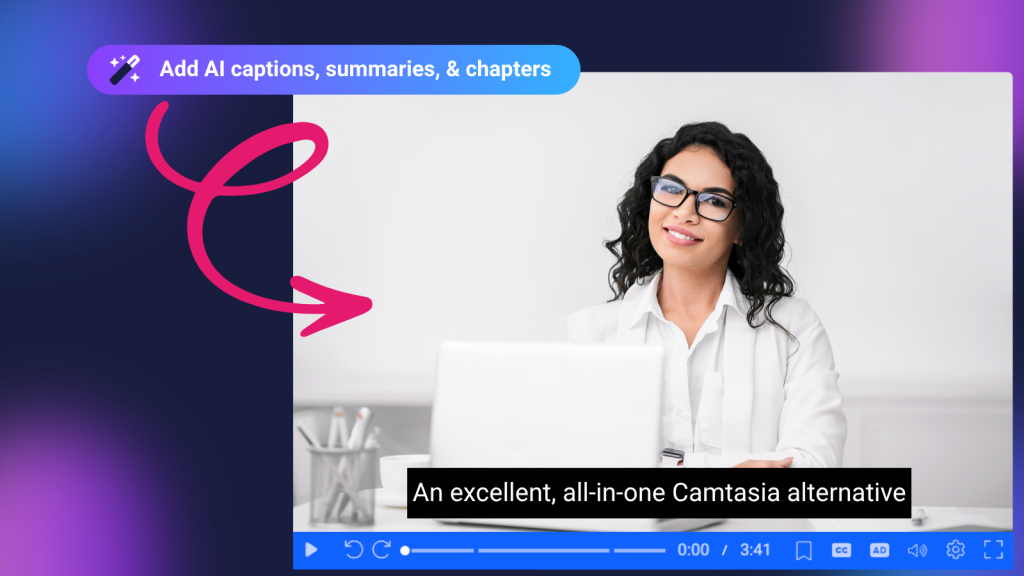
Tired of juggling multiple applications just to take a video from recording to publishing? Skip the platform fatigue with ScreenPal, a more affordable Camtasia alternative that brings recording, powerful video editing, AI-powered tools, hosting, and audience engagement together in one connected platform.
Both ScreenPal and Camtasia help educators, trainers, businesses, and content creators produce professional videos. However, they take different approaches to video creation.
Camtasia is known for its advanced timeline editing, customizable effects, and detailed production controls. It’s well-suited for skilled creators whose roles focus on video production and who need the advanced editing controls required for specialized projects.
ScreenPal offers an easy-to-use affordable, all-in-one video creation platform that combines screen recording, video editing, AI-powered tools, hosting, accessibility, and interactive learning features, without all the complexity. The focus on simplicity means that ScreenPal is suited for anyone in your organization who wants to communicate using video.
The bottom line: Camtasia is a strong option for advanced video production. ScreenPal is an excellent Camtasia alternative for individuals and teams who want to save time, reduce software costs, and create, edit, host, and share videos in one connected platform.
ScreenPal vs. Camtasia: Features and pricing comparison
Here’s how ScreenPal and Camtasia compare across the features and costs that matter most when choosing video creation software.
ScreenPal vs. Camtasia: At a glance
| Feature | ScreenPal | Camtasia / TechSmith |
|---|---|---|
| Free plan | Free screen recorder with unlimited recordings up to 15 minutes each; no account required to start | Free Camtasia Editor with watermarked exports |
| Individual pricing | Solo Deluxe: $48/year; Solo Max: $120/year | Essentials: $179.88/year; Create: $249/year; Pro: $599/year |
| Team pricing | Team Business starts at $8/creator/month | Business starts at approximately $198/user/year; enterprise pricing available |
| Screen and webcam recording | Screen, webcam, and combined recording | Screen and webcam recording |
| Video editing | Multi-track editing simplified into a single-track view for ease of use, timeline editing, and transcript-based editing | Traditional multi-track timeline editing with detailed manual adjustments to video, audio, and effects |
| AI video editing | Natural-language editing prompts, transcript editing, and AI-assisted tools | AI-assisted features for specific editing tasks; capabilities vary by subscription tier and may require Audiate |
| Video hosting | Unlimited video hosting, channels, sharing, and content management | Limited hosting with standard Camtasia plans; expanded hosting requires higher-tier subscriptions through TechSmith Screencast |
| Interactive learning | Quizzes, AI-generated questions, polls, ratings, interactive buttons, and AI video chatbot | Video quizzes with supported publishing and delivery options |
| Analytics | Video viewing analytics, engagement insights, and quiz performance reporting | Viewing and quiz reporting capabilities depend on hosting, publishing method, and subscription |
| Accessibility | AI captions, automated translations in 140+ languages, text-to-speech AI narration, and audio descriptions | Captioning, narration, and accessibility-related editing tools; advanced capabilities vary by plan |
| LMS integration | Direct integrations with supported LMS platforms using LTI 1.3, Google Classroom integration, and gradebook synchronization | SCORM-based quiz delivery via manual export for compatible learning management systems |
| Screenshot capture | Integrated screenshot capture and image editing | Advanced screenshot capture and annotation through Snagit, a separate TechSmith application |
| Best for | Educators, trainers, teams, and creators seeking an affordable, easy-to-use, all-in-one platform for recording, editing, hosting, and sharing interactive video content | Creators who prioritize detailed timeline editing and are comfortable working across multiple specialized tools for additional capabilities |
Prices shown in USD reflect advertised starting rates as of October 2026. Camtasia prices are billed annually; ScreenPal prices are advertised monthly starting rates. Features, usage limits, and availability vary by subscription and product version. Some capabilities require eligible plans or additional products.
Want professional video creation tools without the higher price tag? Explore ScreenPal’s plans and pricing.
What’s inside
- Which is easier to use: ScreenPal or Camtasia?
- How do ScreenPal and Camtasia compare for AI video editing?
- Which platform is better for interactive videos and online learning?
- Which offers better video accessibility tools?
- Can you record, edit, host, and share videos in one platform?
- Is ScreenPal a more affordable Camtasia alternative?
- ScreenPal or Camtasia: Which should you choose?
- Frequently asked questions
1. Which is easier to use: ScreenPal or Camtasia?
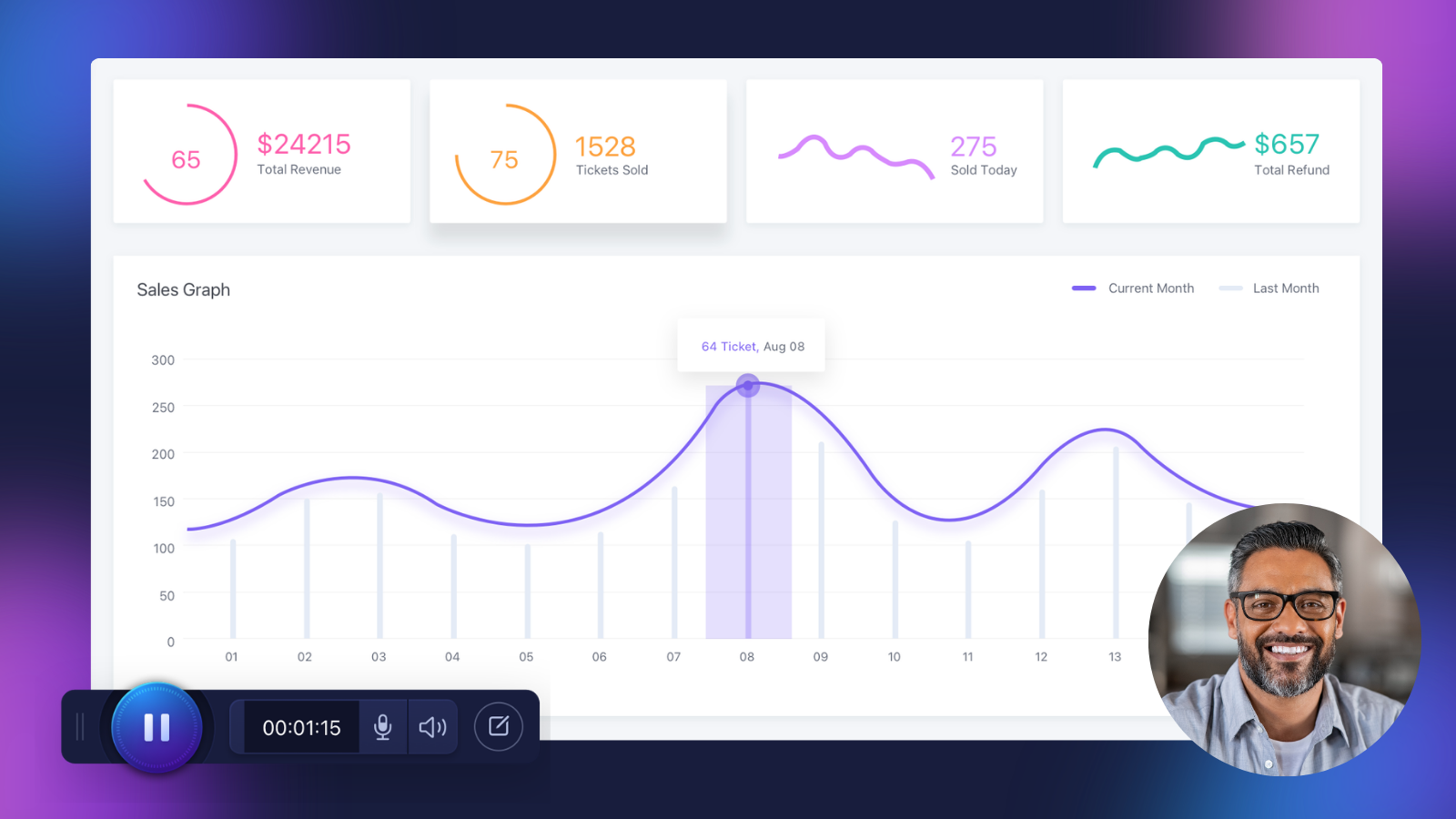
The best video editing software isn’t necessarily the one with the most complicated controls. It’s the one that helps you create the content you need efficiently.
Camtasia: Timeline editing and production control
Camtasia provides a traditional multi-track timeline editor view with detailed controls for video clips, audio, animations, cursor effects, transitions, and visual elements.
These capabilities make it a strong choice for expert video editors and creators manually producing highly customized software demonstrations, tutorials, and training content.
However, its extensive editing options introduce a learning curve for users who don’t specialize in video production and need to minimize production time.
ScreenPal: Powerful video editing without the complexity
ScreenPal’s video editor is designed to make professional video creation approachable for users of different experience levels.
With ScreenPal, you can:
- Trim, cut, combine, and rearrange video clips.
- Add text, images, video overlays, and animations.
- Highlight important information with zoom effects and annotations.
- Remove or shorten unnecessary pauses and filler words.
- Edit videos directly from their transcripts.
- Add music, captions, and video chapters.
- Blur sensitive information and adjust video speed.
Whether you’re creating a quick software tutorial, an instructional lesson, or an employee training video, ScreenPal helps you produce polished content without spending unnecessary time navigating editing controls.
Which is better? Camtasia is well suited to creators who want extensive timeline customization. ScreenPal is an appealing alternative for educators, trainers, and professionals who prioritize efficient, approachable video editing.
2. How do ScreenPal and Camtasia compare for AI video editing?
AI-powered editing can help creators save time by automating repetitive tasks and simplifying video production.
Both ScreenPal and Camtasia offer AI-assisted capabilities, but the editing experience differs.
Camtasia’s AI-assisted editing tools
Camtasia offers AI-assisted production features, including transcription, text-based editing, filler-word removal, and audio enhancements, depending on the product version and subscription plan.
For additional audio editing and AI-powered narration capabilities, TechSmith offers Audiate, a separate application with its own interface and editing workflow. Teams and businesses can access Audiate through the Camtasia Create Business bundle, priced at $379.99 per user, billed annually. While Audiate is included in this bundle, users must still learn and navigate a separate application, adding complexity to the video creation process compared to ScreenPal’s integrated recording, editing, and AI-powered tools.
While Camtasia and Audiate offer complementary editing capabilities, they operate as separate applications with distinct workflows. Users must send individual tracks or sections from Camtasia to Audiate, complete their audio edits in a separate interface, and then sync those changes back to Camtasia. This adds extra steps and complexity to the editing process, while access to certain capabilities may also require a higher-tier subscription.
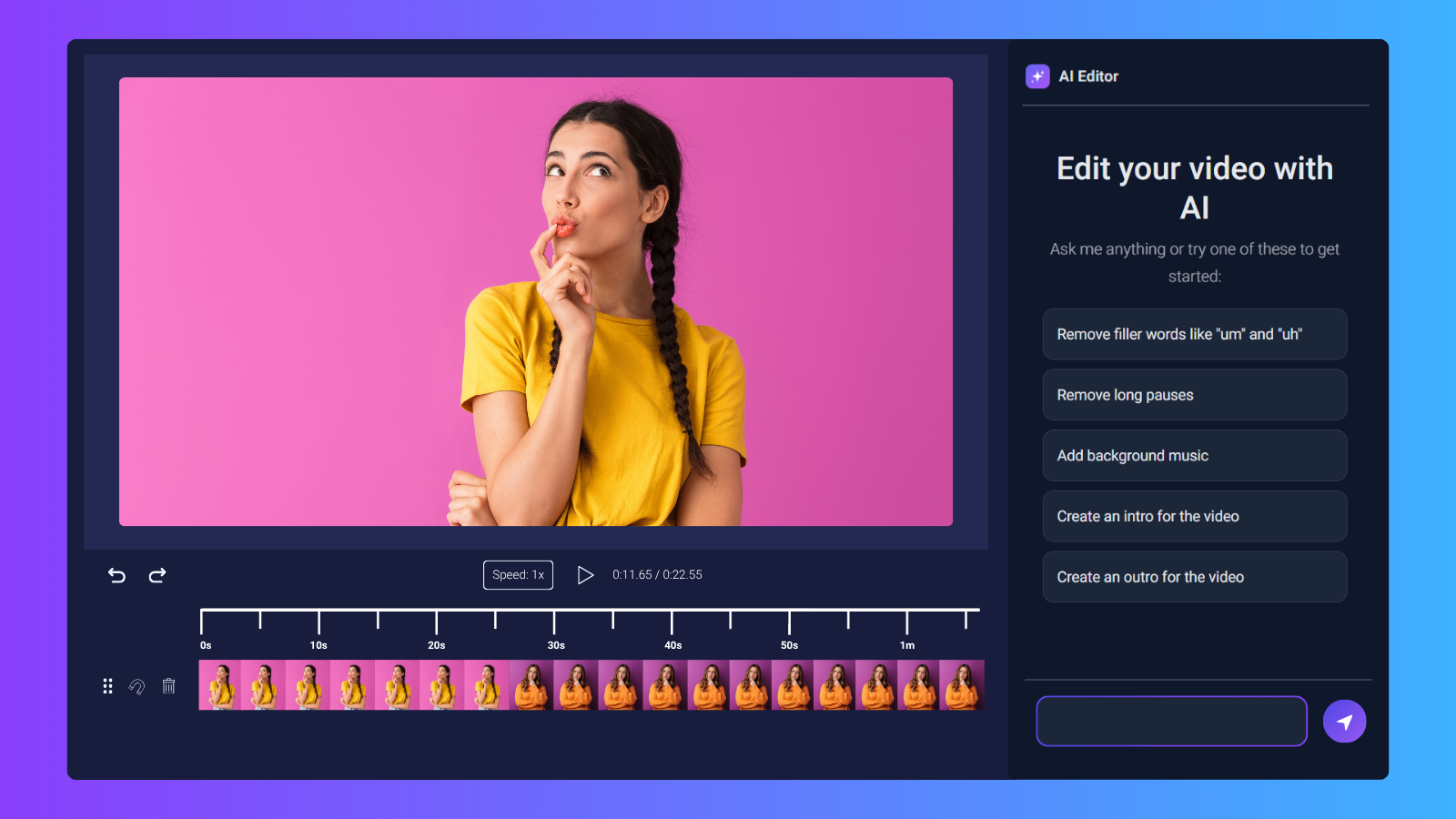
ScreenPal’s AI Video Editor: Edit with simple text prompts
ScreenPal’s AI Video Editor takes a conversational approach to editing.
Available directly within the ScreenPal Online Video Editor for Solo Max plans, it allows you to make changes to your video by describing what you want to accomplish.
For example, you can enter prompts such as:
- “Remove the filler words and long pauses.”
- “Add background music to my video.”
- “Create an introduction for this tutorial.”
- “Add a text overlay to introduce the next section.”
The AI Video Editor helps carry out your instructions, reducing the need to perform every editing action manually, while still giving you the flexibility to fine-tune, customize, and personalize your videos using traditional editing tools whenever you choose.
You can review the results, make additional adjustments using traditional editing tools, and use undo and redo controls to refine your project. This flexibility is especially valuable for educators, trainers, and professionals who create videos regularly but don’t want to spend hours editing.
The key difference: Camtasia emphasizes detailed timeline editing supported by AI features, while ScreenPal combines natural-language prompts with traditional editing tools to simplify everyday editing tasks. ScreenPal also delivers these capabilities at a significantly lower price. ScreenPal’s Solo Max plan costs just $120 per user annually, compared to $379.99 per user annually for the Camtasia Create Business bundle. That’s nearly 68% in annual savings, making ScreenPal a more affordable option for creators who want powerful, AI-assisted video editing without the higher subscription cost.
Explore ScreenPal’s AI Video Editor
3. Which platform is better for interactive videos and online learning?
For educators and learning and development teams, creating a video is only the beginning.
Effective video learning often requires opportunities to check understanding, gather feedback, and measure engagement.
Both ScreenPal and Camtasia support interactive video quizzes, but they differ in how those assessments are created, delivered, and managed.
Create interactive videos with ScreenPal
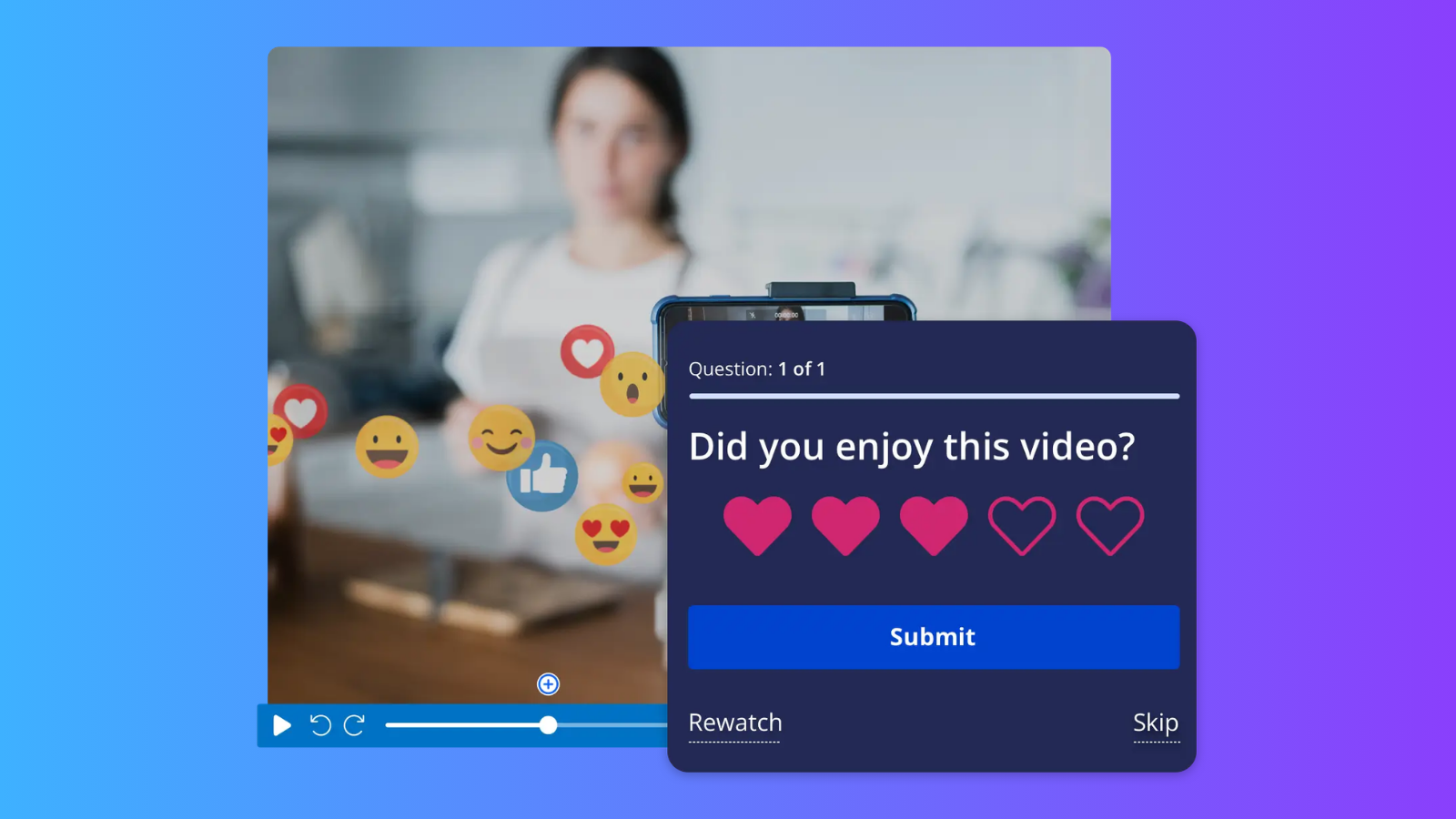
ScreenPal includes interactive video tools that help turn passive viewing into active participation.
Creators can add:
- Video quizzes: Assess understanding with multiple-choice, true/false, and short-answer questions.
- AI-generated quiz questions: Generate questions from video content, then review and customize them.
- Polls and ratings: Collect opinions, feedback, and audience responses.
- Interactive buttons: Direct viewers to additional resources, related content, or next steps.
- Video analytics: Track views, watch time, and audience engagement to understand how viewers interact with content.
- Individual and group analytics: Monitor engagement and assessment performance at both the individual viewer and group levels, including quiz responses and feedback.
- Engagement heatmaps: Visualize which portions of a video viewers watch, rewatch, or skip to identify opportunities for improvement.
- Exportable reports: Download detailed engagement and assessment data to track progress, measure learning outcomes, and share results with stakeholders.
For example, an instructor can add knowledge checks throughout a recorded lesson, while a corporate trainer can incorporate assessments into onboarding videos and review how employees engage with the material.
How does Camtasia handle video quizzes?
Camtasia supports interactive quizzes, allowing creators to insert questions at specific points in a video. Quiz functionality and SCORM export are available through the Camtasia Essentials Business plan.
However, sharing and tracking quiz-enabled videos can require additional steps. For SCORM delivery, users must export a complete package containing the video, player, and quiz, which can result in large files. This package must then be uploaded and configured within a compatible learning management system (LMS), rather than simply sharing a video link.
While SCORM-compatible platforms can provide quiz scores and completion tracking, Camtasia does not offer the same integrated video engagement analytics as ScreenPal, including individual viewing insights, engagement heatmaps, and group-level reporting. Organizations may need to rely on their LMS for assessment reporting, depending on the platform and configuration.
For organizations already using SCORM, this workflow may be suitable. However, not every educator, trainer, or business needs SCORM or wants to manage the additional export and import process.
ScreenPal eliminates these extra steps by bringing video creation, interactive assessments, sharing, and analytics together in one platform. Instead of exporting large SCORM packages or relying on a separate LMS, creators can simply share a video link and access built-in analytics to track engagement and measure understanding.
From individual quiz responses and feedback to group-level reporting and engagement heatmaps, ScreenPal provides the insights educators, trainers, and businesses need to evaluate video effectiveness, all without the complexity of managing multiple tools or workflows.
ScreenPal LMS integrations and gradebook synchronization
ScreenPal offers direct LMS LTI 1.3 integrations with supported platforms, including Blackboard, Canvas, D2L Brightspace, Moodle and Google Classroom.
Depending on the integration and plan, educators can incorporate videos into courses, create assessments, ask learners to record native video responses in a Channel, and synchronize applicable quiz results with their LMS gradebooks.
For institutions creating and managing interactive learning content regularly, ScreenPal’s combination of AI-powered quizzing, hosting, analytics, and LMS integration provides a connected experience.
Which is better for education and training?
Camtasia offers quiz functionality through compatible publishing workflows, while ScreenPal provides a more comprehensive, all-in-one solution for educators and training teams looking to create, deliver, and measure interactive video learning.
ScreenPal also offers significant cost savings. Camtasia Essentials Business costs $198 per user annually, compared to just $96 per user annually for ScreenPal’s Team Business plan (3 or more users). That’s $102 in annual savings per user, over 51% less than Camtasia.
For schools, training departments, and organizations looking to scale video learning, ScreenPal combines interactive quizzes, video hosting, analytics, and powerful creation tools at a significantly lower cost.
4. Which offers better video accessibility tools?

Accessibility is an important consideration when choosing video creation software, especially for schools, colleges, government organizations, and businesses.
Accessible videos help more people engage with instructional content, including viewers who are deaf or hard of hearing, blind or have low vision, or prefer content in another language.
Both ScreenPal and Camtasia provide accessibility-related tools, but ScreenPal combines several capabilities within its video creation and hosting platform.
AI captions and multilingual translation
Camtasia supports caption creation and editing, while additional transcription and audio editing capabilities are available through TechSmith’s AI-assisted tools and Audiate offerings.
ScreenPal allows creators to generate AI-powered captions, edit transcripts, and translate video content into more than 140 languages.
These features can help educators create multilingual lessons and organizations deliver training to geographically distributed teams.
Audio descriptions for visual accessibility
Captions make spoken information accessible, but meaningful visual content may also require audio descriptions.
For example, a software demonstration may include important on-screen actions that aren’t explained through narration.
Camtasia’s audio recording and editing tools can be used to create spoken descriptions manually.
ScreenPal offers automated audio description tools and auto-translation powered by AI, helping creators incorporate descriptions of meaningful visual information into their video workflows.
This is especially useful for organizations working to improve the accessibility of instructional and training materials.
AI text-to-speech narration
ScreenPal’s AI text-to-speech tools make it easy to create natural-sounding narration, including multilingual voiceovers. Creators can also replace their recorded voice by converting existing narration into a transcript and then generating a new AI voiceover using text-to-speech. ScreenPal also supports multiple languages within a single video, allowing creators to offer multilingual narration and reach global audiences without creating separate videos for each language, all within ScreenPal’s integrated editing workflow.
Camtasia supports recorded narration and audio editing, while TechSmith’s broader product offerings include additional AI-powered narration capabilities through the additional purchase of the Audiate application.
For creators producing multiple videos or working with multilingual audiences, ScreenPal brings captioning, translation, text-to-speech, and audio description options into one connected platform.
Which is better for accessibility?
Both platforms support accessible video creation, but ScreenPal offers a more affordable, scalable, approachable all-in-one solution for organizations looking to create inclusive video content. With AI-generated captions, translations in 140+ languages, AI narration, and dedicated audio description capabilities, ScreenPal helps educators, trainers, and businesses make their videos more accessible without the need for expensive, higher-tier subscriptions.
The price difference is significant. Camtasia requires its Pro Business plan, priced at $747.96 per user annually, to access audio description generation. By comparison, ScreenPal includes audio descriptions in its Team Business plan, starting at just $96 per user annually for teams of three or more.
That’s $651.96 in annual savings per user, over 87% less than Camtasia Pro Business. For organizations looking to scale accessible video creation across teams, ScreenPal delivers essential accessibility tools and powerful video creation capabilities at a fraction of the cost.
Accessibility features can support compliance efforts, but creators should review captions, translations, audio descriptions, and completed videos against applicable accessibility requirements.
5. Can you record, edit, host, and share videos in one platform?
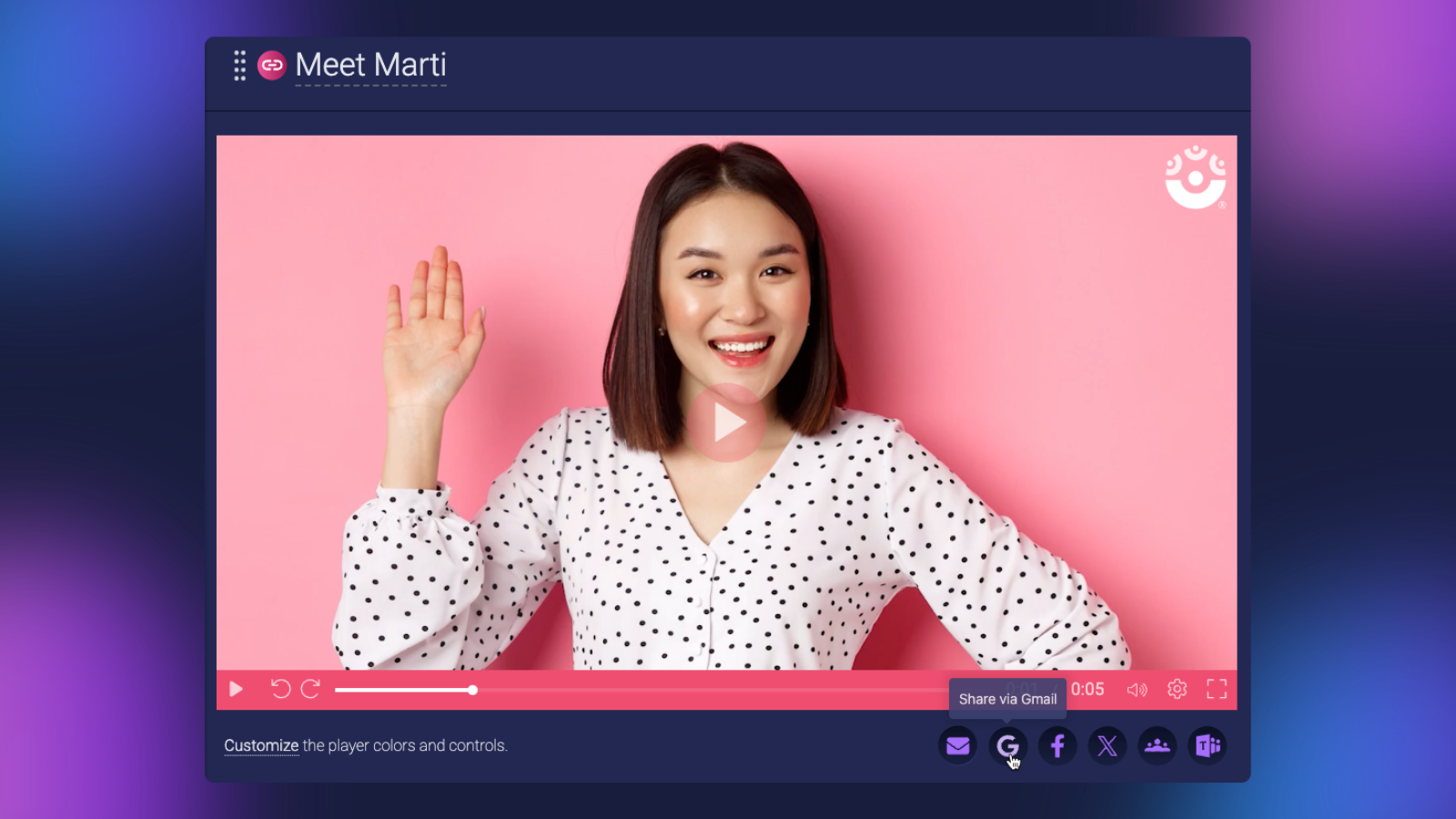
Video production doesn’t end when editing is complete.
Creators also need ways to store, organize, publish, and share their videos. For educators and businesses, privacy controls, analytics, and content management can be just as important as editing features.
Camtasia and TechSmith Screencast
Camtasia focuses primarily on recording and editing.
Completed videos can be exported for sharing through different platforms, while TechSmith’s Screencast provides dedicated hosting and sharing capabilities.
Screencast offers hosting and viewer engagement features, with availability and limits depending on the applicable subscription. Standard Camtasia plans include hosting for up to 25 videos, while Camtasia Pro includes expanded hosting capabilities.
Organizations must purchase a Camtasia Pro Business license to access expanded Screencast hosting capabilities, adding to the overall cost of video creation and management. Additionally, accessing the full range of TechSmith’s video creation, AI audio editing, and hosting capabilities requires users to learn and navigate two separate applications, Audiate and Screencast; each with its own interface and workflow, adding complexity compared to ScreenPal’s all-in-one platform.
ScreenPal’s integrated video hosting and management
ScreenPal combines recording, editing, hosting, and sharing within one platform.
With ScreenPal’s video management tools, you can:
- Organize your content: Store and manage videos in a centralized library.
- Share with customizable links or embeds: Publish content without requiring viewers to download files.
- Create manual or AI generated titles, summaries, and linkable chapters.
- Customize the video player and viewer actions.
- Create channels: Organize related videos, images, and quizzes into collections for lessons, training programs, or team resources.
- Manage privacy: Control how videos are shared and who can access them. Set a publish and expiration date.
- Add interactivity: Include quizzes, calls to action, and other engagement tools.
- Review analytics: Understand how viewers interact with your videos.
For example, a teacher can organize instructional videos into a course channel, while a business can build an internal training library that employees can revisit whenever needed.
Track video engagement and performance
ScreenPal’s video analytics go beyond basic view counts, giving educators, trainers, and businesses detailed insights into how audiences engage with their content, where viewers may lose interest, and how effectively videos support learning and communication goals.
With ScreenPal, creators and teams can access:
- Detailed video analytics: Track total and unique views, watch time, and engagement to understand how audiences interact with videos.
- Engagement heatmaps: Visualize which sections viewers watch, rewatch, or skip to identify opportunities to improve content.
- Individual viewer analytics: Review viewing activity and engagement at the individual level to better understand participation and progress.
- Group-level analytics: Monitor engagement and performance across teams, classes, or groups to identify trends and measure collective progress.
- Quiz results and feedback: Review individual responses, scores, and assessment results to identify knowledge gaps and evaluate understanding.
- Exportable reports: Download engagement and assessment data for further analysis, progress tracking, and sharing with stakeholders.
For educators, these insights make it easier to identify students who may need additional support and evaluate the effectiveness of instructional videos. Training teams can monitor employee participation, assess knowledge retention, and refine learning materials based on actual viewer behavior. Businesses can measure engagement with product demonstrations, onboarding resources, and internal communications.
Unlike basic video hosting that primarily focuses on storing and sharing content, ScreenPal combines video delivery, interactive assessments, and actionable analytics in one connected platform. This allows organizations to move beyond simply tracking whether a video was viewed to understanding how audiences engage, what they learn, and where content can be improved, all without relying on separate analytics or assessment tools.
ScreenPal’s advantage goes far beyond convenience. By bringing recording, editing, AI-powered tools, hosting, interactive assessments, and detailed analytics together in one affordable platform, ScreenPal helps individuals and organizations save time, reduce costs, and simplify video creation. Instead of purchasing, learning, and switching between multiple applications, creators can manage their entire video workflow in one place; from recording and editing to sharing, measuring engagement, and assessing understanding.
Which is better for video hosting and sharing: ScreenPal or TechSmith Screencast?
ScreenPal offers a more comprehensive, scalable, and affordable video hosting solution than TechSmith Screencast. While Screencast serves as a hosting service within TechSmith’s desktop-focused product ecosystem, ScreenPal provides a fully integrated video content management system (CMS) designed to help individuals and organizations create, organize, manage, share, and measure video content at scale in one application.
ScreenPal goes far beyond basic video storage and sharing. Its built-in hosting platform includes:
- Scalable video content management: Organization and management designed to support growing teams in the form of Channels and folders.
- Advanced privacy and sharing controls: Manage video visibility, access permissions, and content moderation to securely share videos with the right audiences.
- Interactive video experiences: Add quizzes, polls, ratings, and interactive buttons to engage viewers and assess understanding.
- Comprehensive video analytics: Track individual and group engagement, analyze viewing behavior with heatmaps, review quiz performance, and export reports to measure results.
- Integrated creation and editing: Record, edit, update, and publish videos directly within the same platform, without switching between separate applications.
- Learning and training integrations: Connect video content with LTI 1.3 and Google Classroom to simplify delivery and assessment.
By comparison, TechSmith Screencast primarily extends Camtasia’s video sharing capabilities rather than serving as a comprehensive video CMS. Standard Camtasia plans include hosting for up to 25 videos, while expanded hosting capabilities require Camtasia Pro Business, priced at $747.96 per user annually. Organizations must also navigate separate applications for video editing and hosting, adding complexity to content management workflows.
ScreenPal delivers substantially more video management, engagement, and analytics capabilities at a fraction of the cost. Comprehensive hosting is included with ScreenPal Solo Max for $120 annually or Team Business for $96 per creator annually (3+ users).
That’s up to $651.96 in annual savings per user, over 87% less than Camtasia Pro Business when comparing team pricing.
The difference isn’t simply price or convenience. ScreenPal is a complete video creation and content management platform, while TechSmith Screencast is an ancillary hosting service within a broader collection of desktop applications. For educators, businesses, and training teams that need to create, manage, deliver, and measure video content at scale, ScreenPal offers a more capable, connected, and cost-effective solution without requiring multiple applications or premium-priced subscriptions.
6. Is ScreenPal a more affordable Camtasia alternative?
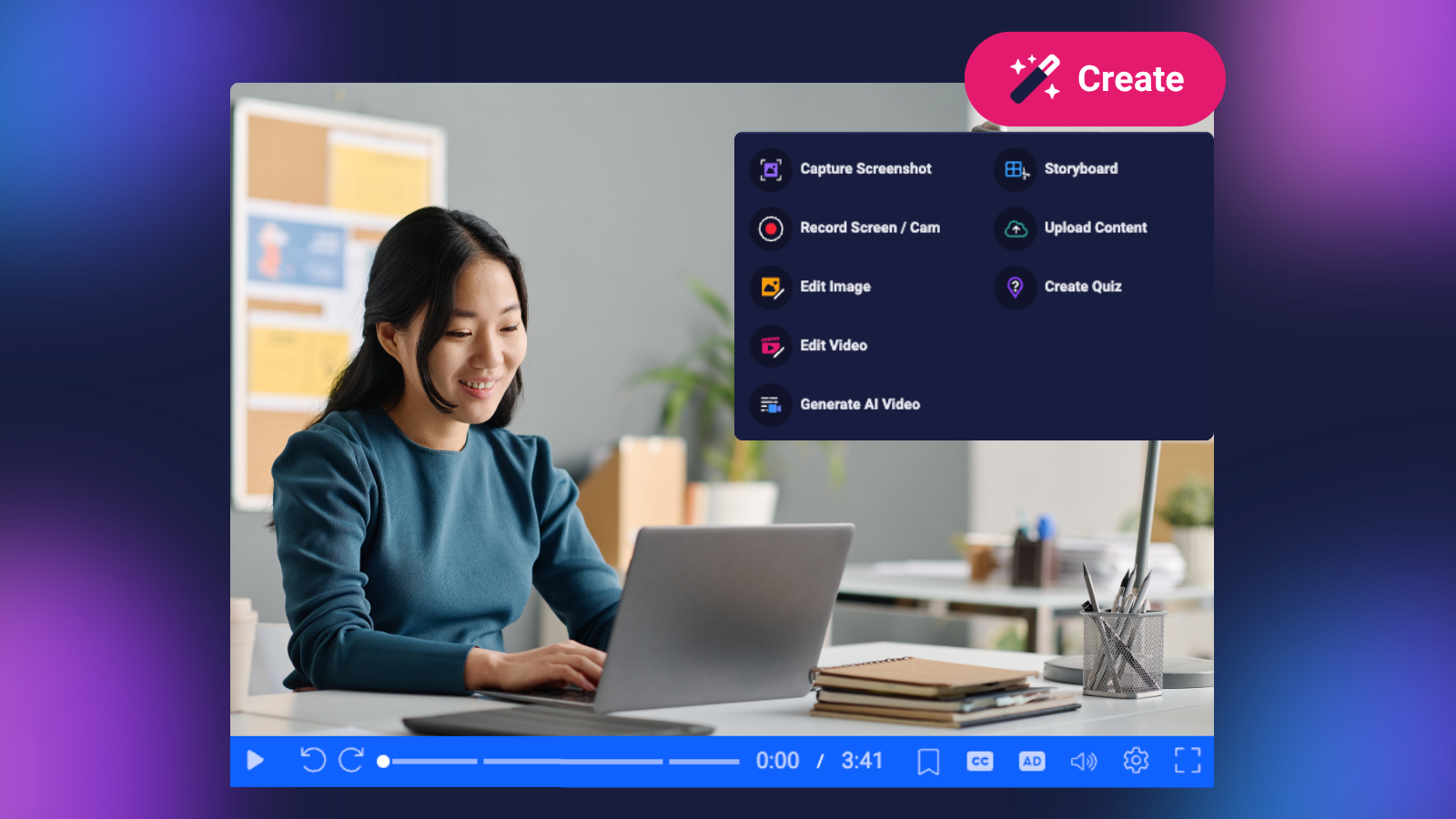
When comparing video editing software, subscription price is important. But the total cost of video creation also includes the tools, training, and time required to complete your projects.
For individuals and organizations producing videos regularly, choosing software that supports multiple workflows can help reduce unnecessary expenses.
How much does ScreenPal cost compared to Camtasia?
ScreenPal offers flexible plans for individuals and teams, with significantly lower starting prices than Camtasia’s paid, watermark-free editing plans.
Here’s how the advertised subscription prices compare:
TechSmith Camtasia pricing
| Camtasia plan | Starting price |
|---|---|
| Free Editor | Free (watermarked exports) |
| Essentials Business | $198.00/year |
| Create Business | $297.99/year |
| Pro Business | $747.96/year (closest to ScreenPal Solo Max or Team plans) |
| Enterprise | Contact for custom pricing |
ScreenPal pricing
| ScreenPal plan | Starting price |
|---|---|
| Free | Free |
| Solo Deluxe | $48/creator/year |
| Solo Max | $120/creator/year |
| Team Business (3+ users) | $96/creator/year |
Prices are provided for reference and do not represent exact feature-for-feature equivalents. Annual ScreenPal amounts are calculated from advertised monthly starting rates. Camtasia prices reflect the annual subscription amounts listed above. Confirm current pricing, billing terms, and included features before purchasing.
Lower subscription costs, more value
ScreenPal’s Solo Max plan costs just $120 annually, compared to $747.96 annually for Camtasia Pro Business, representing solo user savings of $651.96 per year.
For organizations, the savings are even more significant. ScreenPal’s Team Business plan starts at $96 per creator annually, compared to $747.96 per user annually for Camtasia Pro Business. That’s over 87% in annual savings per user, with ScreenPal providing recording, editing, hosting, and interactive video tools in one platform.
For larger teams, ScreenPal’s active-creator licensing model offers additional opportunities to save. Rather than requiring a paid creator license for every team member, ScreenPal allows organizations to scale access based on active video creation. Licenses automatically adjust based on usage, reducing administrative work and helping organizations manage costs as video adoption grows. This serves as a further and significant discount as compared to seat-based licensing models.
The key difference: ScreenPal combines a lower starting price with comprehensive video creation, editing, hosting, and engagement capabilities, helping individuals and organizations save money while reducing the need for multiple tools or higher-priced subscriptions.
More capabilities, fewer software subscriptions
Why pay significantly more for software focused primarily on video recording and editing when you can support your entire video creation workflow with one affordable platform?
Camtasia offers advanced video editing capabilities, but it’s primarily a desktop video production tool, not a complete video creation, hosting, and audience engagement platform. To extend its functionality, TechSmith offers separate applications, including Snagit for screenshots, Audiate for AI-powered audio editing and narration, and Screencast for video hosting.
While some of these products are bundled with higher-tier Camtasia subscriptions, users must still learn and navigate separate applications and workflows. This adds complexity, time, and potentially significant costs for organizations that need more than video editing.
ScreenPal takes a fundamentally different approach. Instead of requiring multiple applications to complete different stages of video production, ScreenPal brings recording, editing, AI-powered tools, hosting, accessibility, interactive assessments, and detailed analytics together in one connected platform.
For example, ScreenPal includes screenshot capture and image editing tools that let users capture images, add annotations, blur sensitive information, and create visual instructions without learning a separate application. Creators can also access a stock media library with millions of images, video clips, and music tracks to enhance their projects.
The difference becomes even more significant for organizations creating content at scale. With ScreenPal, teams can capture knowledge, produce professional videos, add captions and audio descriptions, deliver interactive training, organize content in channels, and measure audience engagement, all within one platform.
And ScreenPal delivers this comprehensive workflow at a fraction of Camtasia’s cost. ScreenPal Team Business starts at $96 per creator annually, compared to $747.96 per user annually for Camtasia Pro Business. That’s over 87% in annual savings per user, while gaining access to an integrated platform designed to support the entire content creation and delivery process.
That’s the ScreenPal difference: One platform. One connected workflow. More capabilities. Significantly lower costs. Rather than investing in a collection of specialized applications, organizations can equip their teams with the tools to create, share, manage, and measure video content from start to finish.
Save time with a simpler video creation workflow
Software costs extend beyond licensing.
Teams may also spend time learning editing tools, switching between applications, and managing content across different platforms.
Camtasia’s advanced timeline controls offer valuable flexibility for experienced creators, but some users may prefer a simpler editing experience. To get the full capabilies of ScreenPal, a Techsmith customer would need to purchase Camtasia Pro, which includes Snagit, Camtasia, Audiate, and Screencast.com, with disparate user experiences that all have their own learning curve.
ScreenPal is designed to make everyday video creation approachable, with intuitive recording and editing tools, AI-assisted workflows, and integrated hosting.
For educators, trainers, and businesses creating videos at scale, these efficiencies can help reduce production time and simplify onboarding.
The value advantage: ScreenPal offers an affordable Camtasia alternative for users who want video editing, screenshot creation, hosting, AI tools, and interactive learning capabilities without relying on multiple specialized applications.
Compare ScreenPal plans and pricing
7. ScreenPal or Camtasia: Which should you choose?
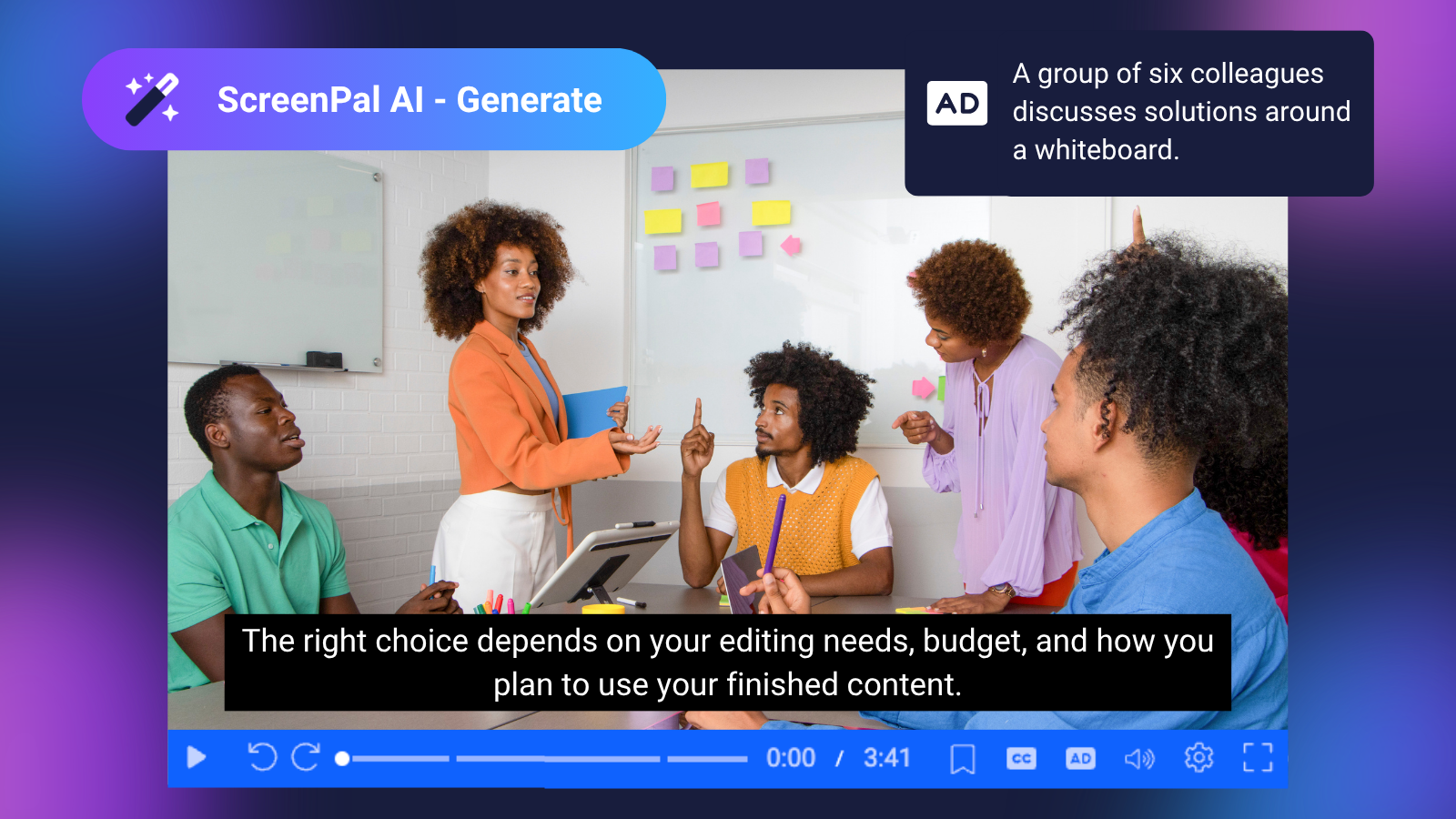
Both ScreenPal and Camtasia are capable video creation tools. The right choice depends on your editing needs, budget, and how you plan to use your finished content.
Choose Camtasia if you:
- Prefer complex multi-track timeline editing.
- Need detailed control over animations, effects, and production elements.
- Have experience with professional video editing workflows.
- Primarily focus on creating highly customized video productions.
Choose ScreenPal if you:
- Want an affordable, easy-to-learn Camtasia alternative.
- Need to record, edit, host, and share videos in one platform.
- Want to save editing time with AI-powered text prompts.
- Create interactive lessons or training videos with quizzes and assessments.
- Need AI captions, multilingual translation, and audio description options.
- Want integrated video hosting, analytics, and LMS integrations.
- Create a combination of videos, screenshots, and instructional resources.
If advanced timeline customization is your top priority, Camtasia is worth considering. If you want a flexible, cost-effective platform that supports video creation, accessibility, sharing, and learning, ScreenPal offers a compelling alternative.
Frequently asked questions about ScreenPal and Camtasia
What is the best alternative to Camtasia?
ScreenPal is a strong Camtasia alternative for educators, trainers, businesses, and content creators looking for an affordable video creation platform. It combines screen recording, video editing, AI-powered tools, hosting, and interactive learning features in one connected experience.
Is ScreenPal cheaper than Camtasia?
Yes. ScreenPal offers lower advertised starting prices than Camtasia’s paid, watermark-free editing plans. ScreenPal Solo Deluxe starts at $4/month and Solo Max at $10/month, while Camtasia Essentials costs $179.88/year and Create costs $249/year. The overall value depends on the features and subscription your workflow requires.
Does ScreenPal have a free screen recorder?
Yes. ScreenPal’s free desktop recorder allows unlimited screen recordings of up to 15 minutes each, without requiring an account to get started. Users can upgrade to paid plans for additional editing, AI-powered features, hosting, and engagement tools.
Does ScreenPal have AI video editing?
Yes. ScreenPal’s AI Video Editor allows Solo Max and eligible Team users to edit videos using natural-language prompts. You can request changes such as removing filler words, adding background music, inserting text overlays, and creating introductions or outros directly within the Online Video Editor.
Can ScreenPal replace Camtasia for screen recording and video editing?
Yes. ScreenPal supports screen and webcam recording, video editing, captions, animations, overlays, and AI-assisted editing. Creators who rely on highly customized multi-track production workflows should compare the editing tools in both platforms before switching.
Does Camtasia support interactive video quizzes?
Yes. Camtasia supports video quizzes, with delivery options that depend on the publishing method and compatible hosting or LMS workflows. ScreenPal also supports quizzes, along with AI-generated questions, polls, ratings, analytics, and direct integrations with supported learning management systems.
Is ScreenPal good for educators and corporate training?
Yes. ScreenPal supports instructional videos, interactive quizzes, LMS integrations, gradebook synchronization, accessibility tools, and video hosting. These features make it useful for classroom instruction, employee onboarding, professional development, and online training.
Can ScreenPal create accessible videos?
Yes. ScreenPal offers AI-powered captions, transcripts, multilingual translation, text-to-speech narration, and audio description capabilities. These tools can help creators improve video accessibility, although completed content should still be reviewed for accuracy and applicable accessibility requirements.
Try ScreenPal: An affordable, all-in-one Camtasia alternative
Creating professional videos shouldn’t require complicated workflows or multiple expensive tools.
Whether you’re recording a tutorial, developing an interactive lesson, creating accessible training content, or sharing updates with your team, ScreenPal gives you the tools to create and communicate more efficiently.
With intuitive video editing, AI-powered features, built-in hosting, and flexible sharing options, ScreenPal helps you spend less time managing software and more time creating valuable content.
Ready to simplify video creation and save money across your organization?
Explore our Team plans to unlock additional AI-powered editing, accessibility, and engagement tools.


