Main Menu
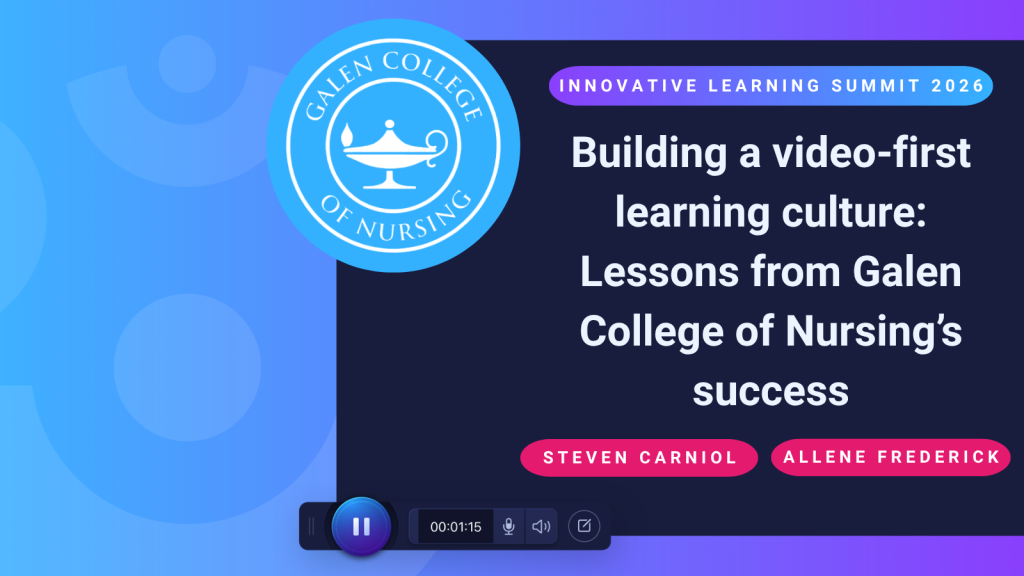
Building a student engagement-driven, video-first learning culture across a college takes more than giving faculty access to a recording tool. The technology has to be easy enough to use, the support has to be there when people need it, and, most importantly, educators and students need meaningful reasons to press record.
At Galen College of Nursing, those pieces have developed together over nearly a decade.
During the ScreenPal Innovative Learning Summit, I sat down with Steven Carniol, Associate Vice President of Instructional Design and Support, and Allene Frederick, Associate Director of Instructional Technology at Galen College of Nursing, to explore how video has become part of teaching, learning, assessment, accessibility, and faculty support across the institution.
Today, Galen supports 26 campuses and more than 20,000 students, with ScreenPal used by both faculty and students. Faculty create instructional content, personalized course messages, feedback, and demonstrations. Students introduce themselves, participate in video discussions, give presentations, and use video to demonstrate what they actually know. Behind those activities is a support structure designed to make technology feel less intimidating and more useful.
The conversation offered an important lesson for any institution trying to scale educational technology: Adoption does not end when the software is purchased. Sustainable adoption comes from training people well, making support easy to access, standardizing the experience where it matters, listening to users, and giving people enough flexibility to make the technology their own.
Table of contents
Short on time? Jump to the ideas most relevant to your work:
- Choosing video technology that supports student engagement
- Build faculty confidence before asking them to teach with video
- Make technology support part of your student engagement strategy
- Create internal video experts without making everyone an expert
- Build vendor partnerships that support better learning experiences
- Make accessibility part of student engagement
- Use video translation to reach more learners
- Increase student engagement by turning viewers into video creators
- Strengthen academic integrity with video-based assessment
- Humanize asynchronous learning through video
- Standardize the learning experience without standardizing the instructor
- Prioritize authentic video over perfect production
- Use video analytics to understand student engagement
- Key takeaways for building a more engaging video learning culture
Choosing video technology that supports student engagement

Galen’s relationship with ScreenPal began when the institution’s previous video capture platform was being discontinued.
Rather than automatically moving to the replacement cloud-based version of that product, Steven’s team used the transition as an opportunity to evaluate the broader market.
ScreenPal stood out for two reasons that would continue to shape Galen’s video strategy: advanced capabilities and ease of use.
Steven saw editing features that could support more sophisticated video creation when faculty needed them, but he also saw a familiar, approachable interface that did not require every educator to become a professional video editor.
That balance remains important today.
Steven estimated that 70-80% of the videos Galen faculty and students create are relatively simple: record something, trim the beginning and end, and share it. For those users, the workflow needs to stay fast.
But other situations require more. An instructor sharing a screen may need to blur sensitive information, draw attention to something with an arrow, or make more significant edits. Having those capabilities within the same approachable platform means people do not have to move into professional editing software as soon as their needs become more sophisticated.
“For those who want to get a little more creative…to have those advanced editing capabilities was just a really nice differentiator,” – Steven
The lesson is easy to overlook when institutions compare technology platforms. A long feature list matters much less if the majority of users find the product too difficult to use.
At scale, simplicity is not a lack of sophistication. It is an adoption strategy.
Build faculty confidence before asking them to teach with video
Selecting an intuitive tool gave Galen a strong starting point, but Steven emphasized that successful adoption still depends on training.
Galen incorporated ScreenPal into faculty onboarding rather than treating video training as an optional resource educators might discover later.
New faculty do not simply watch someone else demonstrate ScreenPal. They are required to create a video themselves and post it to a discussion board.
That distinction matters.
Watching a demonstration can make a tool look simple. Actually opening the recorder, making a video, publishing it, and sharing it gives faculty firsthand experience with the same process they may eventually ask students to complete.
“Having our employees or our team members model what we want them to do to show proficiency in the tool has been key,” – Steven
The activity also lowers the stakes around that first recording. Faculty encounter the technology during onboarding, when the goal is learning the workflow rather than simultaneously trying to deliver an important lesson to students.
Once that first barrier is gone, educators can begin discovering where video fits naturally into their teaching.
Galen reinforces the initial training with a repository of videos and documentation that faculty can return to later. The combination creates a more sustainable learning model: experience the workflow, know where to find help, and then continue learning as your needs grow.
Make technology support part of your student engagement strategy

Training someone once does not guarantee that they will feel confident six months later when they encounter a new use case.
That is why Galen’s approach to video adoption is inseparable from its approach to support.
Allene’s instructional technology team provides support across Galen’s different academic programs, with team members familiar with the instructional technologies used throughout the college. Importantly, they are not simply supporting ScreenPal from a technical distance.
They use it themselves.
The team creates ScreenPal videos and guides for faculty and students. When a support ticket would be easier to answer by showing rather than describing, they can respond with a recording.
Faculty also have access to live support chat from 7 a.m. to 7 p.m. Monday through Thursday and 7 a.m. to 3 p.m. on Friday. If a text conversation is not enough, the interaction can become a video call where the faculty member shares their screen and the support specialist walks through the process with them.
Outside those hours, users can submit support tickets 24/7, with the team working to respond within 24 hours.
The goal is not simply to fix the immediate problem. It is to help faculty understand how to solve similar problems themselves in the future.
That approach appears to be working. Steven shared that Galen’s support team had achieved a Net Promoter Score of 88, a result he attributed to the service culture Allene and her team have built.
Support becomes part of adoption because a good first experience with technology is not enough. Users also need confidence that when something goes wrong, someone will help them get moving again.
Create internal video experts without making everyone an expert
Galen’s support model also offers a practical lesson for institutions with teams responsible for many different technologies.
Not everyone needs to know everything at the same depth.
Within Allene’s team of 11, three team members have emerged as dedicated ScreenPal experts. The model developed organically rather than through a rigid assignment process.
They were the people who were interested in the technology, volunteered to lead training through Galen’s Teaching and Learning Academy, and became increasingly comfortable answering questions about it.
Those internal champions are encouraged to keep up with new features and then share what they learn with the rest of the team. It creates layers of knowledge.
The broader team can answer common questions. Faculty have access to searchable self-service materials. ScreenPal’s own tutorial library provides another level of support. More complex questions can reach the people who have developed deeper expertise.
For institutions trying to support dozens of tools, this model is more realistic than expecting every support specialist to become an expert on every platform.
Find the people who are curious. Give them room to explore. Let them teach others.
Build vendor partnerships that support better learning experiences and student engagement

Throughout the discussion, Steven repeatedly returned to something that does not appear on a traditional software feature comparison chart: the relationship with the vendor.
For Galen, that relationship is particularly important because of the institution’s scale.
With 26 campuses and more than 20,000 students, a technology problem can affect thousands of people at once. A platform therefore cannot be evaluated only on what happens when everything works correctly.
Institutions also need to ask: What happens when it doesn’t?
Steven described access to responsive support as essential. Galen also values being able to share product feedback, discuss future capabilities, and participate in early conversations about features that affect education.
That collaboration has included ScreenPal’s interactive quizzing capabilities. As a single-purpose nursing college, Galen has a specific academic mission: educating future nurses and helping current nurses advance their careers. Ultimately, many learners are working toward success on the NCLEX licensure exam.
That made the ability to incorporate questions into video particularly relevant. Galen shared feedback about how embedded quizzes and question types could work, reviewed concepts and early versions, and later saw some of that feedback reflected in the product.
Similar conversations have taken place around captions, AI, translation, and other capabilities.
The broader lesson applies well beyond ScreenPal: the best technology partnership is not purely transactional. A platform becomes much easier to sustain when the institution can communicate its needs, receive responsive support, and trust that the vendor understands the environment in which the technology is being used.
Make accessibility part of student engagement
When video use grows across an institution, accessibility cannot depend on a small central team manually fixing every piece of content. Galen experienced that challenge firsthand.
Before ScreenPal’s AI-powered captioning capabilities, Steven’s team outsourced captioning for media it created centrally. But Galen also had faculty across the institution creating their own videos. At that scale, the team could not realistically verify that every instructor had generated captions, reviewed them, corrected errors, and prepared every video appropriately.
AI-generated captions changed the workflow by moving much more of that process directly into video creation. Faculty can generate captions, review the transcript, correct mistakes, and publish the result without having to move content through a separate captioning process.
Steven estimated that an instructor can review approximately 30 minutes of generated captions in 10-15 minutes, making the process significantly more manageable.
For Galen, the improvement is not simply a matter of convenience. Steven connected easier captioning directly to the college’s ability to meet accessibility expectations from accrediting bodies and federal requirements.
The key is reducing the distance between creating the video and making the video accessible. The more separate steps, tools, vendors, and technical skills required, the easier it becomes for accessibility to turn into a remediation task. When those capabilities are part of the normal creation workflow, accessibility becomes much easier to build in from the beginning.
Use video translation to reach more learners

Galen has also begun extending its accessibility work through language translation.
The college serves many students for whom English is a second language, particularly in its Texas and Florida markets. Steven shared that Galen had specifically discussed that need with ScreenPal before enabling newer translation capabilities.
The college can now provide on-demand Spanish-language translations of video content, giving students another way to access information. For the institution, that removes a substantial production barrier.
An instructor does not have to locate a translator, send content to an outside service, wait for the translated version, and then coordinate a separate narration workflow. Translation can become part of the existing video process.
Steven described the capability as another way to “meet [students] where they’re at,” increasing student engagement university-wide. That idea extends beyond language.
A video-first learning culture works best when video is not treated as one fixed experience for every learner. Captions, translated content, transcripts, narration, playback controls, and other accessibility features give students different ways to access the same underlying learning experience.
Increase student engagement by turning viewers into video creators
Galen’s video strategy is not limited to faculty-created instruction. Students are increasingly being asked to create videos themselves.
In fully asynchronous courses, that can begin almost immediately. Students may introduce themselves through video discussions so they can see the people they are learning alongside rather than experiencing the class only as names and text on a screen.
Other assignments become more sophisticated. Some courses use elevator speeches as video assignments. Students may record presentations, talk through their work on camera, or respond to classmates through video rather than another written discussion post.
The shift changes the role video plays in the course and correlates to increased student engagement. Students are no longer only recipients of instructional content. They have to organize their ideas, communicate them aloud, and present what they know to someone else.
For student submissions, Galen has also learned to keep the technical workflow simple. Students often record in ScreenPal and submit the video link through the LMS rather than uploading a large video file directly. In some assignments, instructors configure the LMS to accept a URL specifically for that reason.
It is a small implementation decision with an important principle behind it: when the learning goal is communication or demonstration, unnecessary file-management friction should not become part of the assessment.
Strengthen academic integrity with video-based assessment

Student-created video has taken on another role as generative AI becomes increasingly common in higher education. Galen faculty are using video as one way to gather richer evidence of student understanding.
A student might be able to generate a written response or presentation with AI assistance. But faculty can extend the assignment by asking the learner to appear on camera, present the material, explain their thinking, or discuss what they created.
As Allene explained, instead of simply saying, “Submit a presentation,” an instructor can add another expectation: Now present that presentation on camera.
The goal is not to prove that a student never used AI. It is to create an opportunity for the student to demonstrate that learning occurred beyond the generated artifact.
The same approach can apply to discussions. Rather than responding exclusively through text, students can record themselves discussing a topic and then respond to peers through video.
For educators reconsidering assessment in an AI-rich environment, the lesson is valuable. The answer does not always have to be a more restrictive assignment.
Sometimes the better question is: What could students create, explain, demonstrate, or defend that would make their thinking more visible? Video provides one way to capture that evidence.
Humanize asynchronous learning through video
The academic integrity benefits of video are important, but Allene also described something less measurable and equally valuable: video makes online courses feel more human.
A text introduction tells classmates where someone is from or what they hope to learn. A video introduction lets them meet the person.
Students see facial expressions, hear tone, notice personality, and occasionally experience the unscripted details of real life; a child wandering into the frame, a dog appearing in the background, or another unexpected moment.
Those details might seem like distractions in a polished production environment. In an asynchronous course, they can become connection points. Students comment on them. Conversations begin. People start recognizing one another as humans rather than discussion-board usernames. And once students start recognizing each other as humans, student engagement with the course increases.
The same applies to faculty.
Allene shared the example of a faculty member whose birds sometimes appear in course videos. It became a lighthearted recurring element for students: Which bird is going to be in the video this week?
The bird is obviously not the learning objective. But the presence it helps create matters. The excited weekly student engagement in course content matters.
When instructors regularly record introductions, announcements, weekly updates, explanations, and feedback, students begin seeing the person behind the course.
That human presence can be particularly meaningful in an asynchronous learning environment where instructor-student relationships are not built through regular face-to-face meetings.
Standardize the learning experience without standardizing the instructor

Scaling any learning technology across 26 campuses requires consistency.
Galen approaches that challenge through a standardized curriculum. A course remains fundamentally the same regardless of the campus or faculty member teaching it.
Subject matter experts work alongside instructional design and media development teams to create core course content. Allene’s team contributes knowledge guides and technology directions that can be vetted and placed consistently within courses.
For students, that means the instructions for completing a video assignment do not completely change every time they enter a new course.
They know where to find the directions. The support team knows what those directions say. Faculty are not each inventing an entirely different workflow.
Steven sees that consistency as essential for scale.
“If it’s different in your course versus Allene’s course, then you have to learn a new experience each time you go into the classroom.”
But standardization does not mean eliminating faculty personality.
Galen creates a consistent course foundation and then gives instructors opportunities to customize on top of it with faculty-created content.
That balance may be one of the most useful lessons from Galen’s model. Standardize the pieces that create unnecessary cognitive and technical load for students. Preserve flexibility in the places where instructor expertise, stories, personality, and presence improve the learning experience.
Prioritize authentic video over perfect production
One of the most telling moments of the Summit session came from the chat.
A former full-time Galen faculty member who now teaches as an adjunct shared that the support from Steven and Allene’s team had made it easier to become comfortable with video. At previous institutions, videos had been more scripted and studio-based. Those approaches had value, but the faculty member said it had been harder to “be real” on camera.
At Galen, a more human approach changed that experience.
The comment captures an important distinction in educational video. Professional production can be valuable. Some resources need careful scripting, high production quality, and centralized development. But that should not become the minimum standard for every video an instructor creates.
If recording a two-minute explanation requires booking a studio, preparing a formal script, coordinating production, and waiting for editing, faculty will naturally create fewer spontaneous videos. Galen is encouraging the opposite behavior when appropriate.
Steven tells faculty and students that if they attend a conference or happen to meet someone interesting in their industry, they can pull out a phone and record a quick two- or five-minute interview.
With the ScreenPal mobile app, that recording can move into their video library and ultimately into a course.
The opportunity is especially relevant in a field like healthcare, where practitioners, experts, and real-world stories can make learning more immediate. Not every learning video needs to look like a studio production. Sometimes the value comes from capturing expertise while the opportunity exists.
Use video analytics to understand student engagement

Creating more video is only useful if students engage with it.
For required viewing, Galen can use ScreenPal analytics to understand how students interact with content. When learners authenticate to view a video, faculty and course teams can see who watched and examine viewing behavior through tools such as video heat maps.
That information can help in two ways.
At the individual level, if a student is struggling, the instructor can better understand whether the learner engaged with the assigned video content. At the curriculum level, Galen can look for broader patterns.
Steven said the college has particularly used analytics to think about the right length for instructional video, where students begin dropping off and what that behavior might suggest about the content.
That turns analytics into a design tool.
Rather than assuming that a 30-minute explanation should remain 30 minutes because that is how long the instructor originally needed to deliver it, course teams can examine actual viewing behavior and ask whether the content should be shorter, divided differently, or redesigned.
Because Galen develops and centralizes much of its standardized curriculum, those insights can influence the learning experience at scale.
The goal is not simply to know whether someone clicked play. It is to use the evidence available to create video that students are more likely to use successfully.
Key takeaways for building a more engaging video learning culture
Galen College of Nursing’s experience offers a practical model for institutions trying to make video a sustainable part of teaching and learning:
- Choose technology for the everyday user. Most people need to record, make a few simple edits, and share. Advanced capabilities are valuable when they remain accessible without professional editing expertise.
- Build video into onboarding. Asking faculty to create and share a video during training gives them firsthand experience before they use the workflow with students.
- Treat support as part of adoption. Live chat, tickets, screen sharing, self-service resources, and responsive help give educators the confidence to keep using technology after initial training ends.
- Develop internal champions. A few highly engaged specialists can stay current on a platform, lead training, and strengthen the knowledge of the larger support team.
- Evaluate the vendor, not only the product. At institutional scale, responsive technical support, training, collaboration, and opportunities to provide product feedback can be as important as individual features.
- Make accessibility part of creation. AI-generated captions reduce the time and complexity required to prepare accessible video and make it easier for individual faculty to participate in the process.
- Use language tools to expand access. On-demand translation can help institutions support multilingual learners without adding a separate production workflow for every video.
- Give students opportunities to create. Video introductions, discussions, presentations, elevator pitches, and other assignments make student thinking and personality more visible.
- Rethink assessment for the age of AI. Asking students to explain, present, or discuss their work on video can provide additional evidence of understanding beyond a submitted artifact.
- Standardize the workflow, not the humanity. Consistent directions and course structures make technology easier to support at scale, while faculty-created videos preserve instructor expertise and personality.
- Give educators permission to be real. Not every learning video needs studio-level production. Authentic, timely video can create connection and capture expertise that might otherwise be lost.
- Use analytics to improve the content. Viewing behavior can help institutions reconsider video length, identify engagement patterns, and make better instructional design decisions.
Galen’s video-first culture was not built by requiring every faculty member to become a video producer.
It grew because the institution created an environment where making a useful video became increasingly normal: faculty experience the technology during onboarding, support is readily available, students encounter consistent workflows across courses, accessibility is easier to build in, and both instructors and learners have meaningful reasons to create.
Perhaps most importantly, Galen has left room for video to feel human.
An instructor can record a polished demonstration when the lesson calls for it, or capture a two-minute conversation with a healthcare professional on a phone. A student can submit a formal presentation, or introduce themselves to classmates and accidentally let the family dog become part of the conversation.
Those moments demonstrate what a video-first learning culture can look like when the focus moves beyond simply producing content.
Video becomes a way to show understanding, capture expertise, improve access, strengthen relationships, and make learning feel like an experience shared between real people.
About the speakers
Steven Carniol is the Associate Vice President of Instructional Design and Support at Galen College of Nursing. His work supports the development and delivery of learning experiences across Galen’s standardized curriculum, including the instructional technologies, media, and support structures that help faculty and students succeed across the college.
Allene Frederick is the Associate Director of Instructional Technology at Galen College of Nursing. She leads a team supporting the instructional technologies used by Galen faculty and students, with an emphasis on responsive customer service, practical training, self-service resources, and helping educators confidently integrate technology into their teaching.