Main Menu
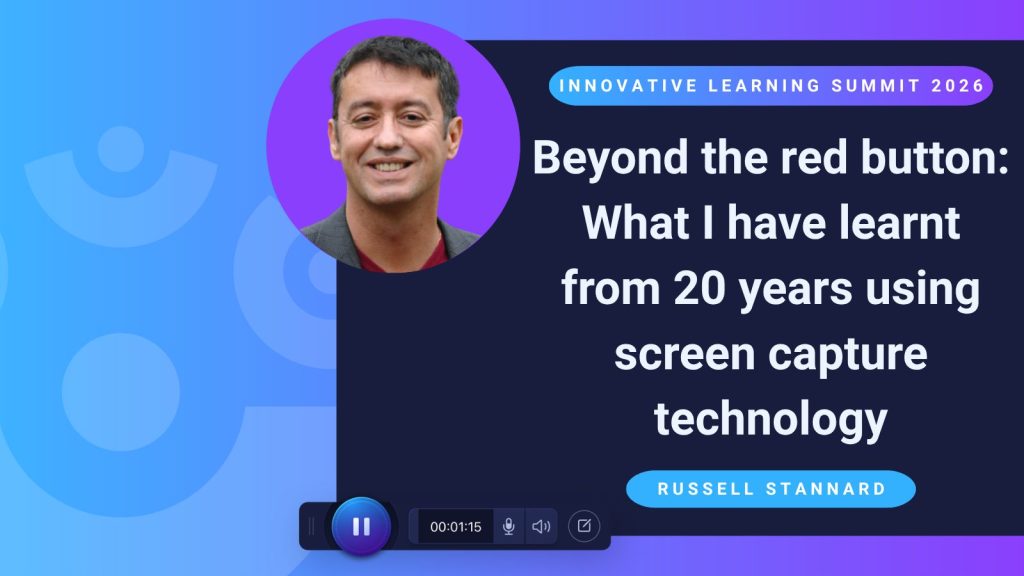
What can happen when an educator discovers a new technology and asks one simple question: Could I use that for feedback?
For Russell Stannard, the answer ultimately shaped nearly 20 years of teaching, research, professional development, and business.
During ScreenPal’s Innovative Learning Summit, Russell shared his journey with screencasting; from his earliest experiments providing video feedback to students to empowering students to create videos of their own and, eventually, using video to build an audience and a business.
Along the way, his session offered practical ideas for educators looking to make video a more meaningful part of teaching and learning.
Introducing Russell Stannard: A 20-year journey with screencasting and feedback
Russell’s relationship with ScreenPal goes back a long way, back to when it was still called Screencast-O-Matic. A longtime advocate for screen capture technology, Russell opened his Summit session by reflecting on nearly 20 years of using screencasting and the profound impact it has had on his work and life.
His journey began in 2006 with a chance encounter at BETT in London. At the time, Russell was working on his PhD, researching feedback in language education, when he saw someone demonstrate screen capture technology for the first time.
Immediately, he saw a possibility: could this be used to give students feedback?
Instead of writing comments on a student’s work, Russell imagined opening the work on his screen, recording himself reviewing it, and talking through his corrections and suggestions. Today, that workflow might seem familiar. In 2006, however, very few educators were using screencasting this way.
Russell went home and experimented with the idea. Students sent him their work, he opened it on his computer, highlighted the areas he wanted to address, and recorded himself explaining his feedback on screen.
The results made him realize he was onto something.
In just two or three minutes of video, Russell could provide a remarkable amount of feedback, and make that feedback more detailed and precise than it might have been in writing. Just as importantly, students could see exactly what he was referring to while hearing him explain it.
That early experiment became much bigger than Russell expected. In 2006, Times Higher Education published his article about using screencasting for student feedback. The idea generated significant attention, eventually leading Russell to appear on television, present his work in 55 countries, earn three awards, and conduct many more experiments exploring how screen capture technology could support teaching and learning.
During his Summit session, Russell demonstrated that the fundamental idea remains remarkably simple. Using ScreenPal, an educator can open a student’s work, start a desktop recording, and talk through the work while pointing out specific areas on screen.
He also challenged an assumption that often comes with video feedback: doesn’t recording feedback take longer?
Russell encouraged educators to compare the time it takes to record a few minutes of feedback with the time required to communicate the same level of detail in writing. With video, educators can often say more, be more precise, and provide richer context, all while giving students an experience that feels very different from receiving a page covered in written comments.
That first experiment became the foundation for Russell’s continued exploration of screencasting. And the more he used video for feedback, the more he learned about where it could make the greatest difference.
Rethinking feedback: more detail, context, and connection
Russell’s early experiments quickly led to a deeper question: What actually makes video feedback effective?
One discovery was that video can be particularly valuable for higher-level students and complex assignments. When students need detailed explanations, an instructor can use their voice and screen to communicate far more context than they might reasonably provide through written comments alone.
For lower-level students, that level of detail may not always be necessary. Russell emphasized that video doesn’t need to be the answer for every feedback situation. Instead, educators should think carefully about when video adds meaningful value.
That also means resisting the temptation to address everything at once. Drawing on Vygotsky’s ideas about learning and development, Russell suggested focusing students’ attention on a manageable number of areas for improvement. Rather than identifying every possible mistake, an instructor might focus on five things the student should work on next.
The power of hearing your teacher’s feedback
Early research into screencast feedback highlighted several advantages. Instructors can provide more detail and context, while students often find the experience more motivating than receiving written comments alone.
One reason is surprisingly simple: the human voice.
A written correction can sometimes feel harsh or impersonal, even when that isn’t the instructor’s intention. With video, students can hear encouragement in a teacher’s voice while simultaneously seeing exactly what the teacher is referring to on screen.
As Russell described the student experience, “It’s like having you next to me.”
An instructor may not have time to physically sit beside every student and walk through an assignment individually, but screencast feedback can create something close to that experience.
That sense of teacher presence can be especially important in online courses, where students and instructors may never meet face-to-face. Hearing an instructor personally respond to their work can help establish rapport and make the learning experience feel more connected.
Video feedback can also make feedback more accessible. Russell noted its usefulness for dyslexic students who may struggle with extensive written comments, as well as learners who are simply more comfortable consuming audiovisual material.
In language learning, subtitles add another dimension. An instructor might provide spoken feedback in the language students are learning while offering subtitles in their native language to support comprehension.
Turning feedback into a conversation
Russell also stressed that feedback shouldn’t simply be something instructors give and students receive. Feedback should be dialogic.
After receiving a video, for example, students can respond with an email or video comment explaining which pieces of feedback they plan to address in their next revision. That small step turns the experience into a conversation and asks students to actively engage with the feedback rather than simply watch it.
Video feedback doesn’t always have to be one-to-one, either. An instructor might take notes while watching a series of student presentations, identify mistakes or opportunities that appeared across the class, and create one video addressing those common themes for the class.
Used thoughtfully, these approaches can dramatically expand what an instructor is able to communicate. Russell estimates that video can allow him to provide six or seven times as much feedback as he could relying on written comments alone.
Finding the moments where video matters most
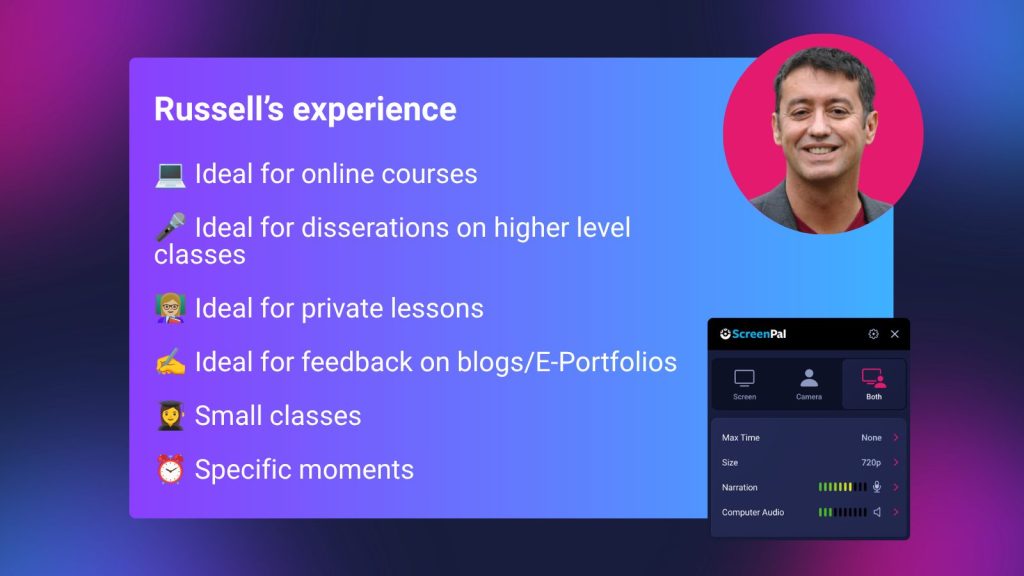
Over the years, Russell has identified particular situations where video feedback shines.
For dissertations and advanced degree work, an instructor might read a student’s first chapter and create a recording walking through four or five areas that could strengthen it. Russell still uses this approach in his own Master’s courses today.
For private tutoring, video feedback can extend the value of a lesson beyond the time spent together. For blogs and e-Portfolios, instructors can open a student’s work on screen and respond directly to what they’re seeing.
Video feedback can work in larger classes as well, although organization becomes more challenging. Russell offered a practical reminder for educators experimenting with it: don’t be a perfectionist. Re-recording every time you stumble can quickly turn an efficient feedback method into an overwhelming one.
Ultimately, his recommendation isn’t to replace every written comment with a video. It’s to recognize the key moments when seeing, hearing, and explaining something together can make feedback substantially more useful.
And once Russell saw what video could accomplish as a feedback tool, he began applying the same principle to other parts of the learning experience.
From feedback to teaching with video
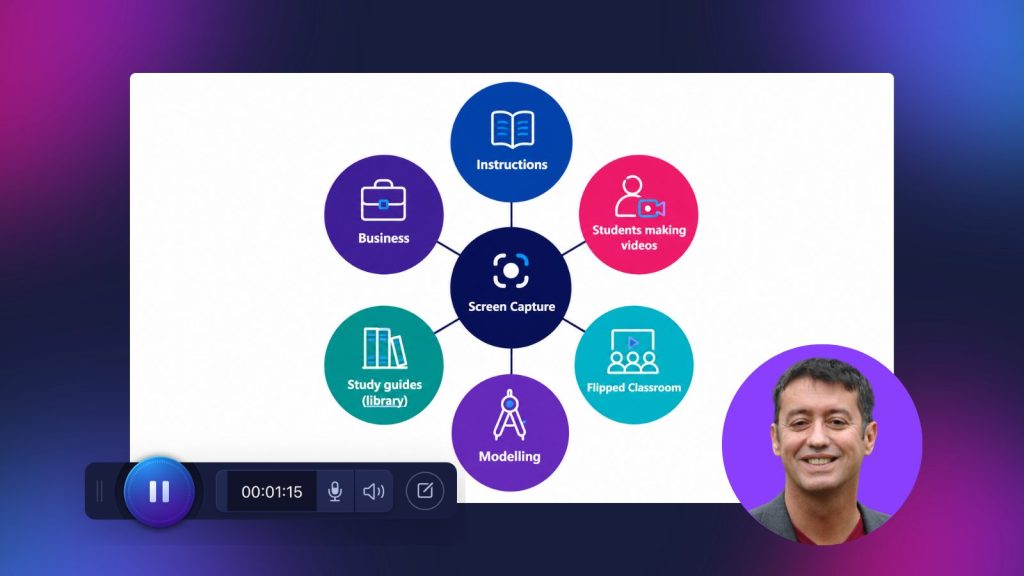
Russell has worked with libraries to create study guides demonstrating how to navigate library systems and access e-journals. He became involved with the flipped classroom movement, using recordings to move certain instruction outside classroom time.
He also uses video for modeling, allowing students to see an example of how to complete a task before attempting it themselves.
For a presentation assignment, for example, an instructor can record a model presentation demonstrating the expected structure and approach. In language education, Russell has used the same technique to model something as specific as describing a picture; beginning with a broad description, moving into details, and finally adding a personal response.
Screen casting is also useful when instructions themselves become complicated. In Russell’s Master’s courses, students may be asked to create a website, podcast, or other multimedia project. Rather than relying solely on a lengthy assignment description or rubric, he can record himself walking through the requirements, adding explanations and examples along the way.
There’s a practical benefit, too: once that instructional video exists, it can be reused with future students.
But all of this eventually led Russell to another question.
If video was so effective when he was creating it, why not put the technology into students’ hands?
For Russell, particularly in the context of language teaching, that became another revelation.
Putting students behind the camera
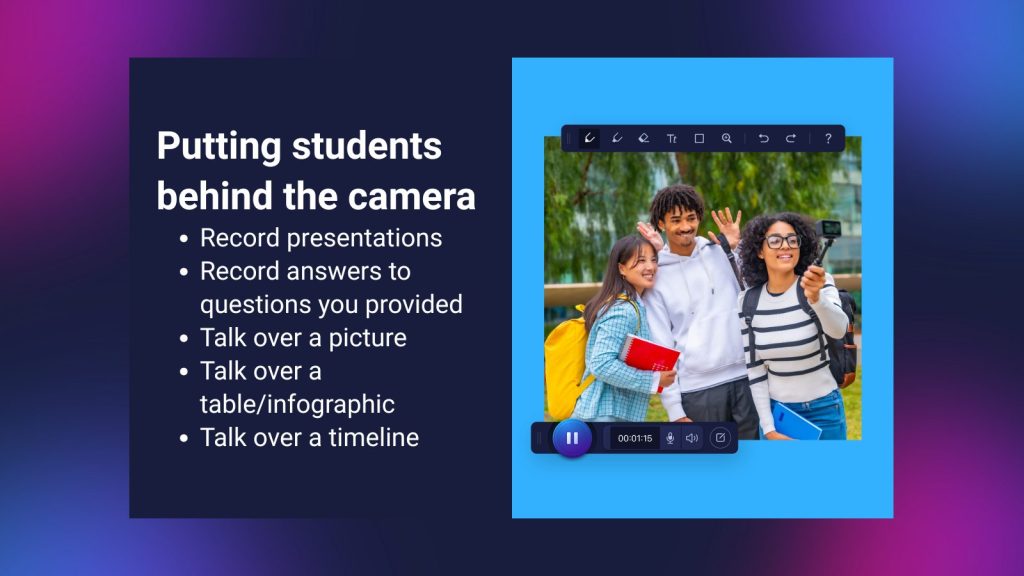
Screen recording gives students an opportunity to practice speaking while simultaneously working with visual material. And the activity doesn’t need to be complicated.
Students might record a short presentation, talk over a picture, explain a table or infographic, or walk an audience through a timeline. Each activity gives students something visual to anchor their thinking while asking them to explain ideas in their own words.
For presentations, Russell recommends keeping the task focused. Rather than allowing students to record for as long as they want, he might limit a presentation to four or five minutes and three or four slides. An instructor could even provide the slides in advance with questions for students to answer.
These constraints give students a clear framework while still requiring them to decide how best to communicate their ideas.
Start small, and persevere
Russell was quick to acknowledge that introducing student-created video doesn’t always work perfectly the first time.
When he first asked a class of 12 students to record their presentations, only six or seven actually did it.
Rather than abandoning the idea, Russell brought those recordings into class. The group watched them together, and he asked the students who had completed the assignment to talk about the experience. That helped the other students see that recording themselves wasn’t simply another task their teacher had assigned, it was a worthwhile learning activity.
His advice for educators trying student-generated video is simple: persevere.
Students may need time to become comfortable with a new way of working. At the beginning, it’s especially important to provide models that show what a successful recording looks like. Instead of simply telling students to “make a video,” give them a concrete example of the length, structure, level of detail, and type of response you’re looking for.
Students can also practice the process before recording independently. Russell suggested training students on the screen capture technology in class and letting them practice in pairs. Once they understand the workflow and feel comfortable with the technology, they can create their final recordings at home.
If students create it, respond to it
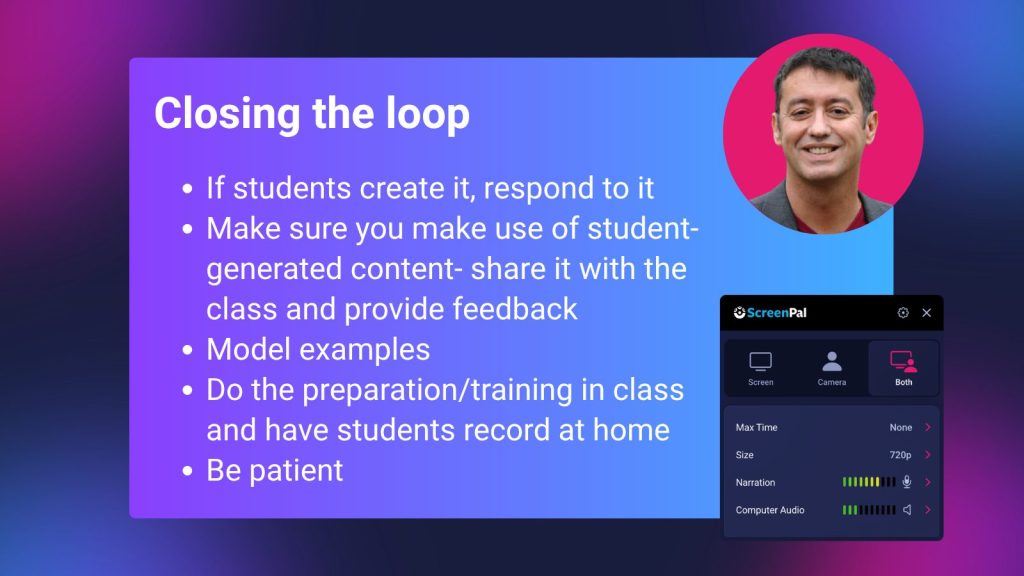
There is one element Russell considers essential to any student-generated content: feedback.
If students put time into creating something and their instructor never acknowledges or responds to it, they quickly get the message that the work isn’t particularly important. Eventually, they may stop doing it.
That doesn’t mean an educator needs to record a detailed individual response to every video. An instructor could watch the recordings, identify common strengths and areas for improvement, and provide one overarching response to the entire class. Students could also watch one another’s recordings and provide peer feedback.
What matters is closing the loop.
Students need to know that the content they’re creating is being seen, that their effort matters, and that there is something they can learn from the process.
Russell’s experience with student-created video ultimately comes down to a few practical principles: keep assignments focused, model what good work looks like, give students opportunities to practice, respond to what they create, and be patient.
The first attempt might not produce 100% participation. Students might be hesitant to record themselves or need time to learn the technology. But with the right structure and support, video can shift from something students simply consume into something they actively use to practice, explain, reflect, and communicate.
For Russell, however, the potential of screencasting didn’t end with the classroom. The same ability to quickly demonstrate knowledge and share it with others would eventually have a major impact on his professional life as well.
Beyond the classroom: Using feedback and video to build an audience and a business
The final part of Russell’s session took screencasting into an area educators might not immediately consider: marketing, professional visibility, and business.
Once again, the story goes back to the early days of his experimentation with screen capture.
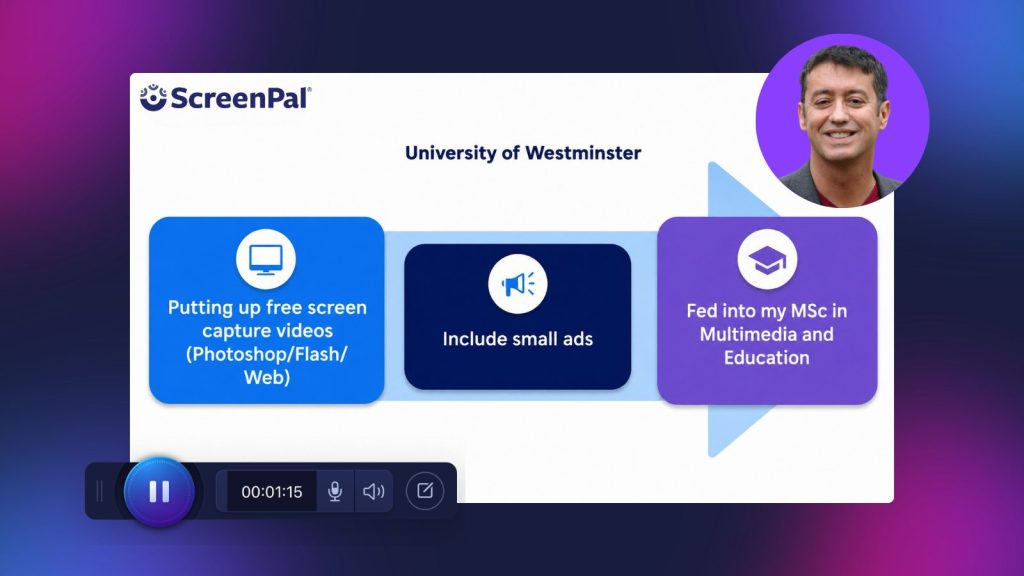
While working at the University of Westminster, Russell was head of the Multimedia in Education Master’s course. The program was struggling with enrollment, with only around 12 students joining the course.
Russell wondered whether the same screen capture technology he was exploring for teaching could also help people understand what the program had to offer.
So, around 2006 and 2007, when this type of online video marketing was far less common, he began creating screen capture videos that gave prospective students a taste of what they could learn on the course. The videos demonstrated topics the program actually covered, including working with Flash, Photoshop, and Dreamweaver.
At the end, the message was simple: If you’re interested in learning how to do this, get in touch and find out more about the course.
The results were significant. Enrollment grew from around 12 students to 21 or 22, and then climbed to approximately 32 the following year.
Instead of simply telling prospective students about the program, video allowed Russell to show them its value before they ever enrolled.
For schools, universities, and other educational organizations, Russell sees enormous potential in that approach. Sharing genuinely useful educational content can simultaneously demonstrate an institution’s expertise and introduce prospective students to the people, skills, and experiences they can expect to encounter there.
From promoting a course and using video for feedback to building a personal brand
Russell’s work at Westminster, along with the recognition and awards his work received, eventually led to an opportunity at the University of Warwick.
By that point, he realized something important: he had built a professional profile around his expertise. And if screen capture could help him build interest in a university course, perhaps he could apply the same idea to his own work.
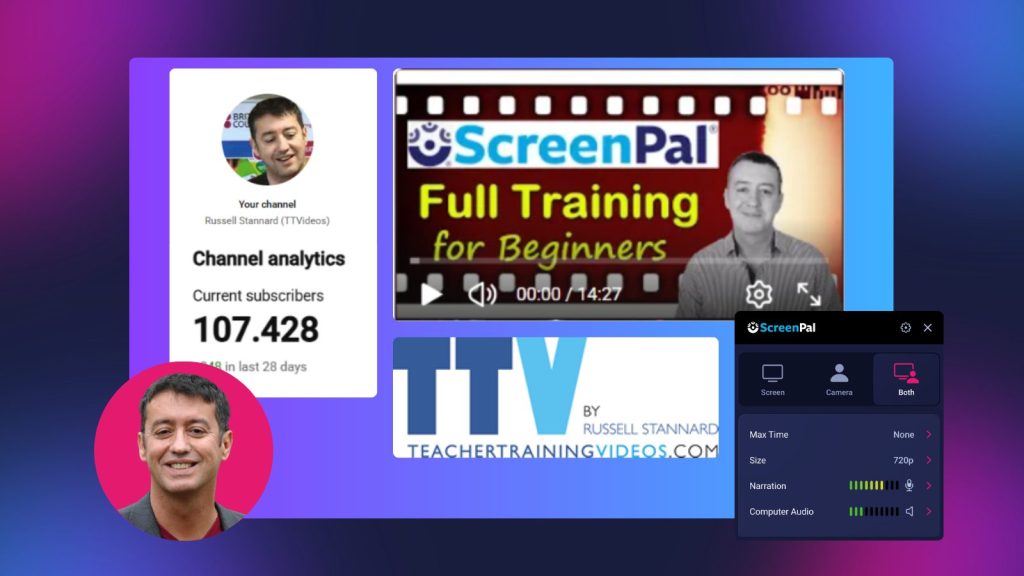
Russell began creating resources to help language teachers understand how they could use screencasting and other technologies in the classroom. Through TeacherTrainingVideos.com and his YouTube presence, he continued doing what had worked from the beginning: sharing useful knowledge through video.
Over time, that audience grew. Russell now has around 100,000 YouTube subscribers, but he explained that advertising revenue isn’t the primary value of that audience. Instead, his videos create opportunities.
Companies discover his work and invite him to speak at conferences, including ScreenPal’s Innovative Learning Summit. His visibility has also led to consulting opportunities, while Patreon gives him another avenue to share screen capture videos and additional training with teachers who want to go deeper.
Eventually, Russell generated enough income through this work to become self-employed and work as a digital nomad.
For Russell, however, the most meaningful outcome isn’t simply that screencasting became a business. It’s what that business has allowed him to do.
Working independently has given him greater balance between his professional and personal life, including more time for two things particularly important to him: spending time with his daughter and learning languages.
One simple feedback video, decades of possibilities
Nearly 20 years after Russell first encountered screen capture technology at BETT, he’s still finding value in the same fundamental idea: sometimes the easiest way to explain something is simply to show it and talk about it.
That simplicity is also something Russell appreciates about ScreenPal. Technology changes quickly, and tools can sometimes change so dramatically that users have to relearn workflows they already understood. Russell pointed out that a ScreenPal tutorial he recorded in 2023 can still be useful today. The product has continued to evolve without making the core experience unrecognizable.
Across Russell’s session, one theme emerged again and again: the technology itself doesn’t need to be the focus.
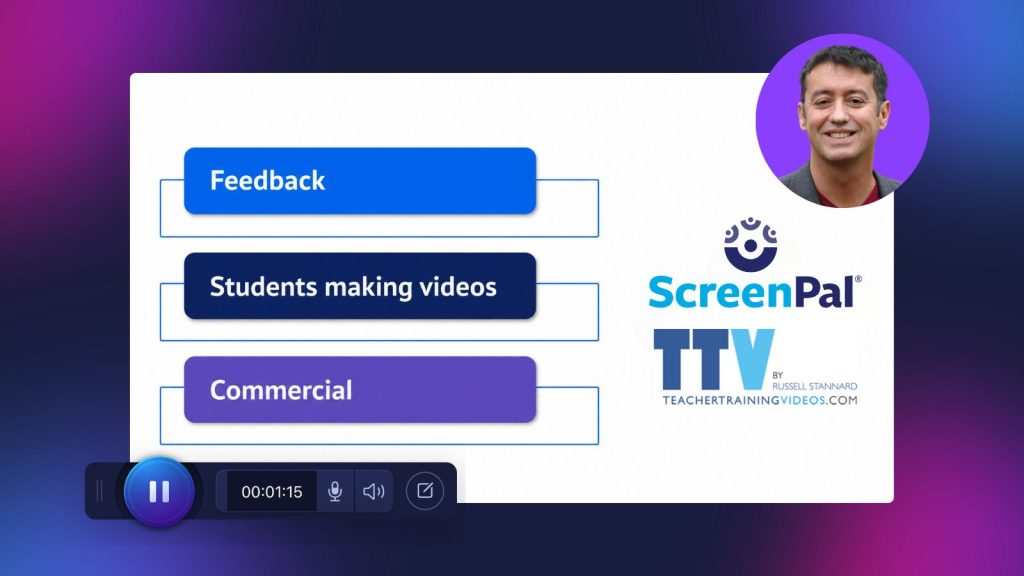
A short recording can make feedback feel more personal. It can help an instructor model a difficult task. It can give a student an opportunity to practice communicating. It can introduce prospective students to a course. And, shared consistently over time, it can help an educator build an audience and create entirely new professional opportunities.
Russell’s own journey is evidence of just how far those possibilities can extend.
What started in 2006 with a PhD, a demonstration at BETT, and the question “Could I use that for feedback?” ultimately influenced the way Russell teaches, shares his expertise, runs his business, and structures his life.
For educators considering how video might fit into their own work, perhaps that’s the most useful takeaway from his session: you don’t need to start big. Start with one problem, one idea, and one video, and see where it takes you.