Main Menu
Professional learning communities are supposed to give educators a space to learn from one another, reflect on their practice, solve problems, and grow together.
But making that happen isn’t always easy.
Teachers are busy. Schedules rarely align. Colleagues may work across different buildings, or hundreds of miles apart. And even when everyone manages to get into the same room, simply scheduling a meeting doesn’t guarantee meaningful collaboration.
What if video could help?
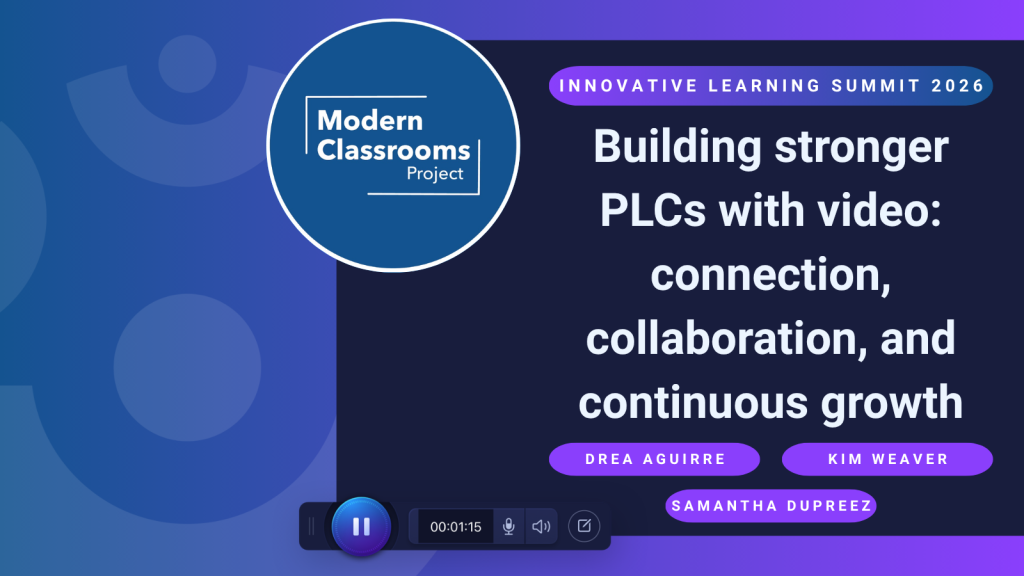
During the ScreenPal Innovative Learning Summit, Samantha duPreez of the Modern Classrooms Project moderated a conversation with Drea Aguirre, EdTech Instructional Coach at Denver Public Schools, and Kim Weaver, STEM and EdTech Coordinator at Olympic Educational Service District, about how educators can use video to build stronger, more flexible professional learning communities.
Both speakers support educators across large and geographically diverse communities. Drea works with PLCs throughout Denver Public Schools, a district with more than 100 schools, while Kim supports educators across 15 school districts, one charter school, and two tribal compact schools.
Their conversation explored everything from asynchronous professional learning and peer observation to teacher vulnerability, sustainable video libraries, and the emerging role of AI.
But one idea connected nearly every part of the discussion: Video shouldn’t replace meaningful collaboration. It should create more space for it.
Table of contents
- Build trust for meaningful professional learning
- Model the experiences you want teachers to create
- Use vulnerability to make professional learning with video feel safer
- Turn video observation into an opportunity for feedback and growth
- Make professional learning more flexible
- Give educators more control over professional learning and feedback
- Protect teachers’ time when moving learning asynchronously
- Put the right information into video
- Use video to support different types of professional learning
- Build an on-demand professional learning library
- Save synchronous time for collaboration
- Approach AI in professional learning with curiosity and caution
- Design professional learning for teacher variability
- Start small when introducing video into professional learning
Build trust for meaningful professional learning

Before discussing tools, platforms, or video workflows, Kim identified what she sees as one of the most important ingredients of an effective PLC: trust.
Her advice was to “move at the speed of trust.”
A PLC can have ambitious goals, a thoughtful agenda, and enthusiastic leadership, but if educators don’t feel like valued members of the group, or don’t trust the people asking them to share their practice, meaningful collaboration becomes much harder.
That becomes especially important when video enters the equation.
Recording yourself can feel vulnerable. Sharing that recording with colleagues can feel even more intimidating. If educators believe video will be used primarily to find mistakes or evaluate their performance, they are unlikely to embrace it as a tool for professional growth.
Instead, leaders need to build an environment where educators understand that the goal isn’t perfection. It’s learning.
For Kim, that means making sure everyone feels like an essential member of the team and knows that their perspective matters.
The technology comes later. Trust is the foundation that makes the technology useful.
Model the experiences you want teachers to create
Drea introduced another principle that resurfaced throughout the conversation: the best PLCs should look a lot like the best classrooms.
Educators are regularly encouraged to create student-centered learning experiences. They’re asked to provide voice and choice, differentiate instruction, make learning relevant, check for understanding, and give students opportunities to apply what they’ve learned.
Then professional development begins, and teachers are sometimes asked to sit quietly while someone talks to them for an hour.
Drea challenged leaders to apply the same instructional principles to adult learners that they expect educators to use with students. If teachers are being encouraged to use blended learning, let them experience blended professional learning. If they’re expected to provide students with multiple ways to engage, give teachers multiple ways to participate. If they’re supposed to make learning relevant to students’ needs, ask educators what they need.
And if teachers are expected to use classroom time for meaningful interaction rather than passive information delivery, professional learning should model that too. That shift makes PLCs more than a place where educators hear about good teaching practices. The PLC itself becomes an example of those practices in action.
Use vulnerability to make professional learning with video feel safer

One of the funniest stories from the session also illustrated one of its most important lessons.
Years ago, Kim was working with middle school math teachers who were using video for reflection and coaching. The teachers were understandably reluctant to record themselves.
They worried about how they looked or sounded. They worried about doing something embarrassing. They worried about what other people might notice.
So Kim and her colleagues modeled the process themselves. During one recorded session, Kim dropped a Goldfish cracker on the floor. Then she picked it up. And ate it. She didn’t even remember doing it until she watched the recording. Her first instinct was embarrassment. Her second was to show the teachers.
Calling attention to her own imperfect moment helped change the atmosphere. The teachers could see that recording yourself inevitably captures things you might not have planned. You may stumble over a sentence, you may sneeze, or something awkward may happen. And that’s okay.
In fact, those moments can make for a pretty memorable blooper reel when you’re trying to show teachers that recording doesn’t have to be intimidating. But sharing the bloopers doesn’t mean you have to keep them in the final video. With ScreenPal’s transcript-based editing, you can edit a video by editing its transcript. Select the words or entire section you don’t want, delete them from the transcript, and the corresponding portion of the video is removed as well. ScreenPal can also identify and remove filler words and unwanted silences, making it easier to clean up a recording without spending hours manually searching through the timeline.
That flexibility gives educators the best of both worlds: permission to be imperfect while recording and an easy way to polish the moments they do want to share.
Drea echoed the same idea. Even after years of regularly recording herself, she still stumbles, backtracks, and makes mistakes. Although she has the technical ability to edit those moments out, she intentionally doesn’t make every video look perfectly polished.
If educators tell students they don’t have to be perfect on camera, Drea argued, educators have to be willing to model that imperfection themselves.
Video becomes easier when the expectation shifts from polished performance to authentic communication. And when educators know they can quickly remove the moments they don’t want to share, pressing record can feel a little less intimidating.
Turn video observation into an opportunity for feedback and growth
Classroom observation can be one of the most valuable forms of professional learning. It can also be one of the most intimidating.
As Samantha noted, some of her most valuable experiences as a new teacher came from watching colleagues and receiving feedback from more experienced educators. Video can extend those opportunities when schedules, geography, or staffing make live observations difficult.
But Drea cautioned against simply telling educators, “Record yourself, and I’ll watch it and give you feedback.” Without trust, that can feel less like professional learning and more like surveillance. Instead, she recommended giving video observation a specific lens.
Rather than watching an entire lesson and looking for everything that could be improved, a PLC might focus on one question, for example:
- How is the teacher using movement and positioning around the classroom?
- When does a particular strategy appear to increase participation?
- What patterns do we notice during student discussion?
- How does the teacher transition between activities?
A focused question changes the purpose of the recording. Participants aren’t searching for a “gotcha” moment. They’re examining evidence together.
Kim takes the idea a step further by allowing teachers to choose what they share. Instead of asking for an entire class recording, she may ask teachers to select the five or ten minutes they’re most proud of. That gives educators control over their first experience with video reflection.
ScreenPal Channels can provide a shared space for this kind of video-based professional learning. PLC leaders can organize selected classroom videos in a dedicated Channel, creating a central place where educators can watch examples and learn from one another asynchronously. With commenting enabled, colleagues can add questions, observations, and feedback directly alongside the video. Leaders can even provide a specific feedback prompt, such as “Where do you notice evidence of student engagement?,” to keep the conversation focused on the PLC’s agreed-upon lens rather than turning the experience into a general critique of the teacher.
This approach can also extend peer observation beyond the limits of a single meeting or school building. Teachers can watch when their schedules allow, reflect before responding, and return to the conversation as colleagues add new perspectives.
Start with celebration. Let teachers show colleagues something that worked. Give them an opportunity to notice student success they may have missed while teaching. Then, as trust grows, the PLC can gradually move toward more complex reflection and feedback.
Make professional learning more flexible

Video also solves a very practical problem: teachers don’t all work in the same place at the same time.
Drea supports educators across a geographically large district where school schedules vary significantly. Some buildings begin early in the morning, while others start later and dismiss around 5 p.m. Finding one time and one location where everyone can participate meaningfully can become nearly impossible.
Kim faces an even greater geographic challenge. One district she supports is roughly a three-and-a-half-hour drive from her in each direction. Some of the educators she serves are the singletons teaching their subject or grade band in their district. For these “lone ranger” educators, video can connect them with colleagues they may otherwise never have the opportunity to observe or learn alongside.
Instead of requiring everyone to deliver an end-of-term presentation at the same time, for example, Drea might ask teachers to record a walkthrough of their work.
They can explain:
- What they tried
- What worked
- What didn’t
- What they learned
- What they want feedback on
- How another educator might recreate the approach
Colleagues can then watch and respond when they’re actually ready to engage.
That last part matters. As Drea pointed out, the best time to absorb professional learning may not be 3 p.m. on a Tuesday after a full day of teaching.
Asynchronous video gives educators greater control over when and how they engage, while timestamped and video feedback help preserve the discussion, connection, and human element that make collaborative professional learning valuable in the first place.
With ScreenPal’s commenting tools, that asynchronous exchange can become a conversation rather than a one-way viewing experience. Teachers can leave timestamped comments tied to specific moments in a colleague’s video, making feedback more precise and easier to understand. Instead of writing, “I liked the way you introduced the activity,” for example, a colleague can attach that observation directly to the moment it happens.
Educators can also record video comments, adding another layer of connection to asynchronous feedback. Tone can be difficult to interpret in written comments, especially when someone is offering a suggestion or constructive feedback. Video lets colleagues explain their thinking in more detail while adding their voice, facial expressions, and encouragement. Feedback can feel less like someone taking a red pen to your work and more like a conversation with a trusted colleague.
Give educators more control over professional learning and feedback
Flexible participation isn’t only about scheduling. It can also mean providing different ways for educators to contribute.
Drea uses her district’s LMS, Schoology, to model the same kinds of high-leverage technology practices teachers can use in their own classrooms. Educators can share video through discussion boards and respond through video, audio, or writing depending on the format that works best for them.
For structured activities, Drea uses a rubric that defines what participants need to complete. But the goal isn’t to determine who implemented a strategy “best.” The focus is on experimentation and communication. Did you try something? Can you explain what you tried? Can you describe it clearly enough that someone else might be able to recreate it?
Kim described a similarly flexible model with what her team called the “Celebration, Commiseration, and Collaboration Station.” Teachers shared through different spaces depending on what they needed from colleagues. Sometimes someone wants advice. Sometimes they want help solving a problem. Sometimes they simply want someone else to acknowledge that something was difficult. And sometimes they want to celebrate something that went exceptionally well.
Giving educators permission to ask for the kind of response they need helps make sharing feel safer. It also recognizes an important truth about professional communities: not every interaction needs to end with corrective feedback. Sometimes community itself is the support.
Protect teachers’ time with asynchronous professional learning

One of the easiest mistakes leaders can make with asynchronous professional learning is assuming that moving something to video automatically gives teachers more time. It doesn’t.
Drea cautioned leaders against taking information that once occupied a staff meeting, turning it into a video, and then expecting educators to watch it on their own time. If watching the content is part of professional learning, time to engage with that content should be part of professional learning too. Otherwise, asynchronous learning simply becomes homework.
And for already-busy teachers, that means the video will quickly fall behind lesson planning, grading, extracurricular responsibilities, family obligations, and everything else competing for their attention.
Leaders should also decide what educators are expected to do with the information after watching. Instead of asking for a thumbs-up to confirm someone watched a video, give teachers an opportunity to apply what they learned. Teachers can try the strategy, bring back an example, reflect on what happened, and share something with a colleague.
Professional learning becomes more meaningful when consuming information is the beginning of the experience rather than the end.
Put the right information into video

Not everything belongs in a meeting. And not everything belongs in a video.
Kim shared an example of a principal who had created a library of short informational videos for teachers. One video had dramatically more views than the others: a tutorial showing teachers how to sync grades from the LMS to the district’s grade-reporting system.
That was not a failure of the other videos. It was evidence of something important. Teachers watched the video they needed when they needed it.
A detailed walkthrough of a technical process may be difficult to remember when it’s demonstrated during a Thursday afternoon staff meeting weeks before someone needs to complete the task. A short video changes that.
Teachers can find it when they’re ready to complete the process, pause the instructions, replay a step, and return later if they need another reminder.
The same model can work for:
- LMS workflows
- Grade reporting
- School procedures
- Emergency drill expectations
- Technology tutorials
- Recurring administrative tasks
- Onboarding information
These resources don’t need to occupy valuable synchronous time. They can become part of an on-demand professional learning library that educators access at the moment of need.
ScreenPal Channels can give that library a dedicated home. Schools, districts, or individual PLCs can organize videos into Channels so teachers have one central place to find the resources they need instead of searching through old emails, meeting notes, or shared folders. A Channel could bring together everything from quick technology tutorials and recurring administrative processes to professional learning resources and instructional examples.
Over time, that collection can become a searchable, reusable knowledge base for the school community. Instead of answering the same question repeatedly or reteaching a process at every staff meeting, leaders can point educators toward a resource that’s available whenever the need arises.
The goal isn’t to create more content for teachers to consume. It’s to make the right information easier to find at the right moment, and protect valuable time together for the conversations, collaboration, and problem-solving that are better suited to a live PLC.
Use video to support different types of professional learning
Throughout the conversation, Kim and Drea identified several different roles video can play within a PLC.
-
- It can deliver information, particularly procedural content teachers may need to revisit.
- It can model instructional practice, allowing educators to see what a strategy actually looks like with real students.
- It can support reflection, giving teachers the opportunity to review their own practice and notice moments they missed while teaching.
- It can enable peer observation when schedules or geography make classroom visits difficult.
- It can capture exemplars, allowing educators to learn from colleagues who are doing something particularly well.
- It can support collaborative problem-solving, giving a PLC common evidence to examine and discuss.
- It can even preserve encouragement and community.
Kim described creating a playful pep-talk video with a sock puppet during testing season because she knew teachers would need encouragement at a stressful point in the year.
Drea recalled saving funny and joyful moments from classroom recordings so she could revisit them during difficult stretches of the school year, a personal highlight reel reminding her why she did the work.
The lesson isn’t that every PLC needs more video. It’s that leaders should begin with the purpose. As Drea put it during the conversation, ask: What is the goal you’re trying to accomplish, and how can video help you get there?
Build an on-demand professional learning library

One of video’s greatest strengths is its ability to turn repeated explanations into reusable resources.
Drea described how often instructional coaches and leaders find themselves explaining the same process again and again. Record the foundational explanation once, and that time can be redirected.
Instead of repeatedly introducing the basics, a coach can spend time inside schools helping teachers implement the idea, identifying barriers, responding to questions, and determining what support should come next.
Video also becomes a scaffold. Teachers don’t need to remember every detail from a single training session. They can return to a resource as often as needed and at the moment the information becomes relevant.
Kim compared that experience to a voice memo her realtor once recorded for her during a stressful home-buying process. The message was essentially a short reminder that everything was going to be okay. Whenever Kim felt overwhelmed, she could replay it.
That experience shaped how she thinks about creating resources for educators: What will teachers need from me when I’m not available? Sometimes the answer is a tutorial, sometimes it’s an instructional example, sometimes it’s a reminder, and sometimes it’s simply encouragement.
Save synchronous time for collaboration
Neither Kim nor Drea argued that PLCs should abandon in-person meetings. Quite the opposite. Their argument was to make that time more valuable.
Information that can be communicated asynchronously doesn’t always need to consume the limited time educators have together.
Instead of spending a meeting listening to updates, participants can arrive ready to use those updates.
They can:
- Discuss
- Practice
- Analyze
- Problem-solve
- Give feedback
- Examine data
- Plan
- Create
- Learn from one another
Drea noted that educators become frustrated when professional learning requires them to sit through information that doesn’t feel relevant, especially when they know they could be using that time to plan, grade, coach, or handle countless other responsibilities.
A blended PLC can change that experience. Important background information can be delivered through a short video. Synchronous time can then focus on applying it. As Kim explained, the question isn’t whether in-person PLC time is good or bad. It’s whether you’re using that precious time for something educators couldn’t get elsewhere.
Approach AI in professional learning with curiosity and caution

The conversation eventually turned toward AI, and both speakers saw significant potential, and significant reasons for caution.
Drea sees AI-assisted video creation as a potentially powerful time-saver. An educator who has already spent hours researching and building a slide deck may not need to start over when turning that material into a video. AI can help transform existing content into a script or first draft that the educator can then review, edit, and refine.
That can lower the barrier to video creation and make professional learning resources easier to produce. But Drea emphasized that AI output still requires professional judgment. Educators shouldn’t assume that because a tool can automatically transform a resource into a video, the finished product is ready to use. The human expert still needs to evaluate accuracy, context, quality, and purpose.
That philosophy aligns closely with ScreenPal’s approach to AI. Rather than treating AI as a replacement for the educator or creator, ScreenPal has taken a thoughtful approach to integrating AI where it can solve practical problems, particularly saving time and making video more accessible. AI-powered tools can help educators turn existing slides into videos, generate captions and transcripts, translate content into additional languages, create summaries and chapters, generate quiz questions, and streamline time-consuming parts of the editing process.
The goal isn’t to hand the creative or instructional process over to AI. It’s to reduce some of the repetitive work surrounding that process so educators have more time for the parts that require their expertise: deciding what learners need, providing context, building relationships, evaluating quality, and creating meaningful learning experiences. At the same time, AI-powered accessibility features can help educators make those experiences available to more learners without adding an entirely separate production workflow.
There’s another reason educators need experience with AI-generated video: their students need those skills too. As AI-generated content becomes increasingly common, educators need opportunities to examine it critically so they can help students do the same.
Kim raised a different concern: using AI to evaluate teachers from classroom video. She expressed skepticism about asking AI systems to interpret the complexity of a classroom and turn that interpretation into evaluative feedback.
Classrooms are full of nuance. A camera doesn’t necessarily capture every student interaction, side conversation, relationship, or contextual factor influencing what happens in a particular moment.
Both speakers also raised questions about privacy, data, and the risks of treating AI as a replacement for human expertise. Their distinction is an important one, and one that should guide how AI is incorporated into professional learning; AI can support professional judgment, but shouldn’t replace it.
Design for teacher variability
Near the end of the session, Samantha shared the Modern Classrooms Project PLC toolkit, which Kim and Drea helped develop.
The toolkit applies principles from the Modern Classrooms approach to professional learning itself.
That includes thinking carefully about what educators must do, should do, and aspire to do, rather than assuming every participant needs exactly the same learning experience.
It also reinforces an idea that ran throughout the entire discussion: physical presence isn’t the same thing as learning. What matters is understanding, application, and growth. Kim connected that idea to Universal Design for Learning.
If educators are being asked to recognize student variability, professional learning leaders should recognize teacher variability too. Teachers bring different backgrounds, confidence levels, schedules, technology skills, subject areas, needs, and interests into a PLC. Some may want to respond in writing, others may communicate better through audio or video; some may need foundational information, others may be ready for deeper experimentation. Some may need feedback; others may need encouragement.
Effective professional learning creates space for those differences rather than designing everything around one path.
Start small when introducing video into professional learning

For school and district leaders interested in bringing more video into professional learning, Kim offered a practical starting point: find your early adopters.
There are likely already educators in your organization who feel comfortable recording themselves, experimenting with technology, or sharing what they’re learning. Let them model what’s possible, celebrate their work, invite them to lead a short session, and create a few useful videos that solve recurring problems.
And don’t begin with the highest-stakes version of video reflection. As Kim noted, asking educators to record an entire class and open it to peer critique is a high bar. Instead, “sneak up” on that level of collaboration. Start with a two-minute example, share a success, record a frequently asked question, demonstrate one instructional strategy, create a resource teachers can revisit, or invite educators to choose a short classroom moment they’re proud of.
The ScreenPal Chrome extension can provide an even simpler entry point. It allows educators to record and share video from the places they’re already working online, including an email or Google Doc. Instead of introducing video through a formal classroom recording, encourage teachers to replace one written response with a quick video. They might record a short explanation for a colleague, provide feedback on a shared document, answer a question, or share a quick reflection.
These small, everyday recordings can help educators become more comfortable with pressing record, talking to a camera, and seeing themselves on video without making the experience feel like a performance. Over time, recording becomes less of an “event” and more of another way to communicate. That comfort can make the progression toward sharing instructional examples, reflecting on classroom practice, or participating in video-based peer observation feel much more approachable.
Most importantly, keep asking whether the experience is useful. The goal isn’t to replace every PLC meeting with video or build the largest possible professional learning library. It’s to use video intentionally to remove some of the barriers that make collaboration difficult and create more opportunities for educators to learn from one another.
Because when administrative information can happen asynchronously, synchronous time can focus on relationships. When educators can watch resources when they need them, professional learning becomes more flexible. When teachers can share their practice without expecting perfection, reflection becomes safer. And when colleagues separated by schedules, schools, or hundreds of miles can still see what one another are trying, the boundaries of a professional learning community begin to expand.
Video doesn’t create a strong PLC on its own. Trust, purpose, relevance, and collaboration do. Video simply gives educators more ways to build them.
Key takeaways
For leaders looking to strengthen professional learning communities with video, Kim and Drea’s conversation offers a practical framework:
- Move at the speed of trust. Build psychological safety before asking educators to share classroom video or invite peer feedback.
- Model the learning you want teachers to create. Give educators the same voice, choice, flexibility, relevance, and opportunities for application you expect them to provide students.
- Normalize imperfection. Authentic, one-take videos can make recording feel more approachable than highly polished productions.
- Start observation with celebration. Let educators choose short moments they’re proud of before progressing toward more critical reflection.
- Use asynchronous video to overcome time and geography. Give educators opportunities to learn from colleagues beyond their building and engage when they’re ready.
- Protect teachers’ time. Moving content to video shouldn’t mean assigning professional learning as unpaid homework.
- Choose the right content for asynchronous delivery. Procedural information, tutorials, reminders, and recurring explanations are especially valuable as on-demand resources.
- Protect synchronous time for collaboration. Use meetings for discussion, application, problem-solving, relationships, and work that benefits from being together.
- Begin with purpose, not technology. Ask what problem you’re solving before deciding that video is the answer.
- Use AI as a support for human expertise—not a replacement for it. AI can accelerate creation, but educators still need to evaluate what it produces and think carefully about privacy and automated evaluation.
- Design for teacher variability. Different educators need different formats, levels of support, and opportunities to participate.
- Start with your early adopters. Small successes can build trust and demonstrate what’s possible before expanding video-based professional learning more broadly.
The strongest PLCs aren’t defined by everyone sitting in the same room at the same time.
They’re defined by educators having meaningful opportunities to learn with and from one another.
Used thoughtfully, video can make those opportunities easier to access, easier to revisit, and easier to extend beyond the walls of a single classroom or school.
And that means professional learning can become not only more flexible, but more connected.
About the speakers
This Innovative Learning Summit panel brought together three educators with experience supporting professional learning across schools and districts. Samantha duPreez of the Modern Classrooms Project moderated the conversation with Drea Aguirre, EdTech Instructional Coach with Denver Public Schools, and Kim Weaver, STEM and EdTech Coordinator with Olympic Educational Service District, exploring practical ways video can help educators connect, collaborate, reflect, and grow together.