

 Main Menu
When instruction moved online in 2020, colleges and universities everywhere had to answer an urgent question: How could they help faculty translate in-person learning experience into faculty-created video students could access remotely?
At Southern New Hampshire University (SNHU), the institution’s established online programs were well positioned for the shift. Its campus courses, however, faced the same sudden disruption experienced across higher education. Faculty needed a way to create video quickly, caption it accurately, and share it with students; without having to master complicated production software in the middle of an already overwhelming transition.
During the ScreenPal Innovative Learning Summit, I sat down with Aaron Flint, Senior Director of Academic Technology Operations at SNHU, to discuss how the university approached that challenge. Our conversation explored much more than SNHU’s initial adoption of ScreenPal. Aaron shared how the institution moved beyond traditional lecture capture, encouraged faculty adoption through trusted colleagues, supported a large community with a small team, and began expanding video creation to students.
The central lesson was simple but important: Scaling video is not about producing more content. It is about removing barriers so faculty and students can create video that is accessible, purposeful, and genuinely useful for learning.
Table of contents
Short on time? Jump to the ideas most relevant to your work:
- Moving beyond the recorded lecture
- Using analytics to encourage, not enforce, change
- Making accessibility part of the creation process
- Supporting a large institution with a small team
- Building adoption from the grassroots
- Expanding video creation to students
- Using AI to repurpose and reimagine course content
- The next evolution: From passive viewing to active learning
- Aaron’s advice for instructional technology leaders
- Key takeaways
Why SNHU needed a low-friction faculty-created video solution
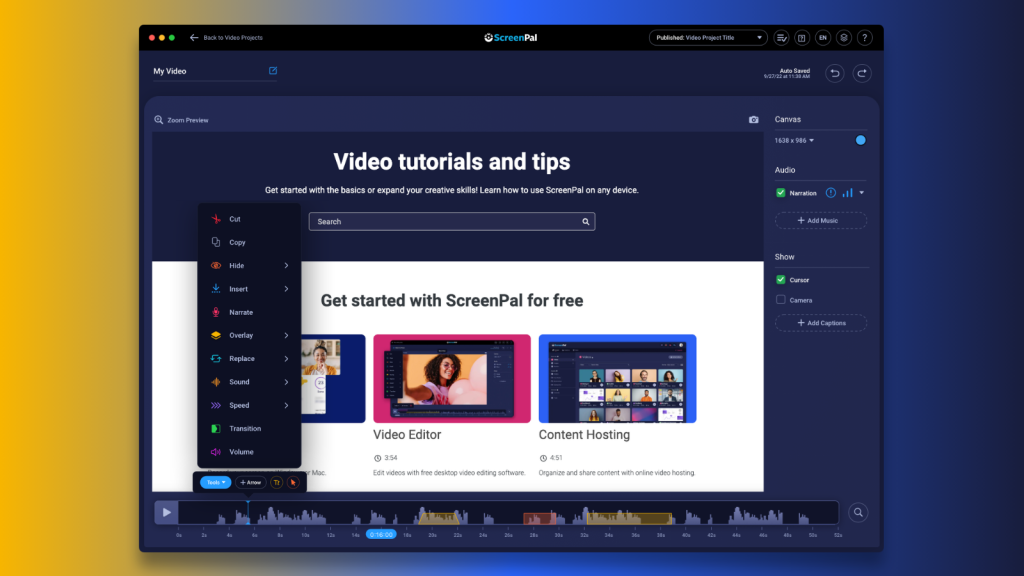
SNHU adopted ScreenPal during the early months of the pandemic, when it became clear that campus courses would not immediately return to their usual format. The institution needed to help faculty teach remotely, but its requirements went beyond simply finding a tool that could record a screen.
Accessibility was a deciding factor from the beginning. SNHU needed faculty to be able to caption their own videos easily so learning materials could be made accessible as they were created, not sent through a complicated remediation process later.
Ease of use mattered just as much. Faculty were already navigating a major change in how they taught. Adding a tool with a steep learning curve would have created another barrier at exactly the wrong moment.
“We don’t want something that has a lot of friction for faculty,” Aaron explained. “If it’s going to be hard to use, they’re already potentially struggling with having to go completely remote from the classroom.”
ScreenPal gave faculty an approachable starting point. New users could begin with simple recording and captioning, then discover more advanced editing, engagement, and analytics tools as their confidence grew. Clear tutorials also allowed many faculty members to answer their own questions and continue working without waiting for direct support.
The combination of accessible creation, an intuitive experience, and self-service learning resources helped SNHU meet its immediate needs while laying the foundation for longer-term adoption.
Moving faculty-created video beyond the recorded lecture
SNHU experimented with lecture capture before the pandemic, but the format did not gain much traction. Recording a full class session required too much effort from faculty, and students were not eager to watch videos lasting an hour or more.
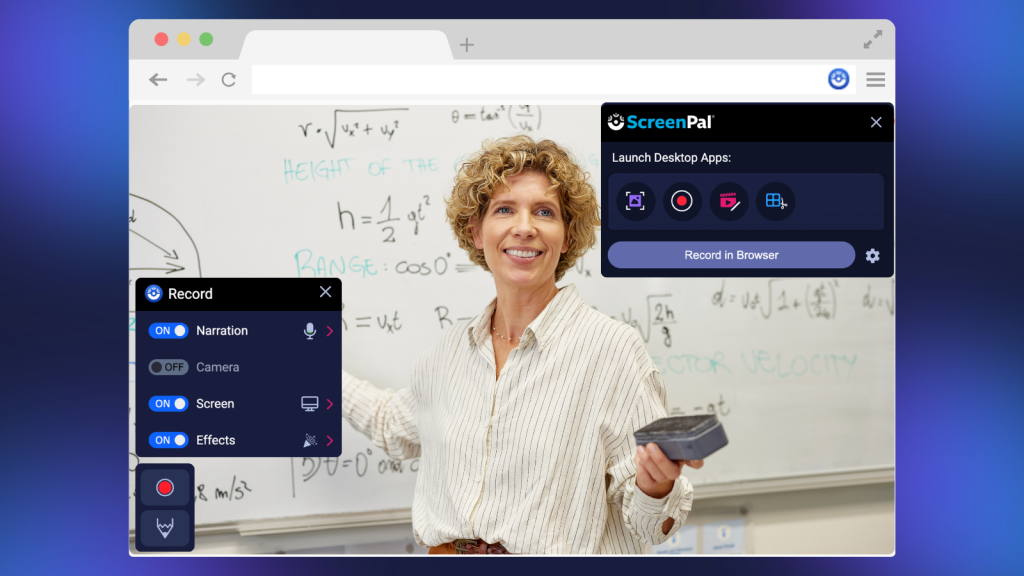
ScreenPal helped the university fill the space between a live class and a full-length recorded lecture. Instead of treating video as a permanent record of everything an instructor might say in a classroom, faculty could use it to communicate one idea at a time.
Aaron said short videos, often between two and five minutes, have been particularly useful. These focused recordings can clarify a difficult concept, introduce an activity, demonstrate a process, or provide timely guidance without overwhelming students.
Short video also plays an important human role in SNHU’s primarily asynchronous online learning environment. Faculty can record introductions, weekly updates, or messages several times throughout a course. These touchpoints allow students to see and hear their instructor even when they do not meet in real time.
That presence matters. A brief, relevant video can make an online course feel less like a collection of assignments and more like a learning experience guided by a real person. It helps connect students not only to the course content, but also to the faculty member supporting them through it.
Faculty are also beginning to incorporate quizzes and other interactive elements. That shift turns video from something students merely watch into something they must process and respond to.
Using analytics to encourage rather than enforce
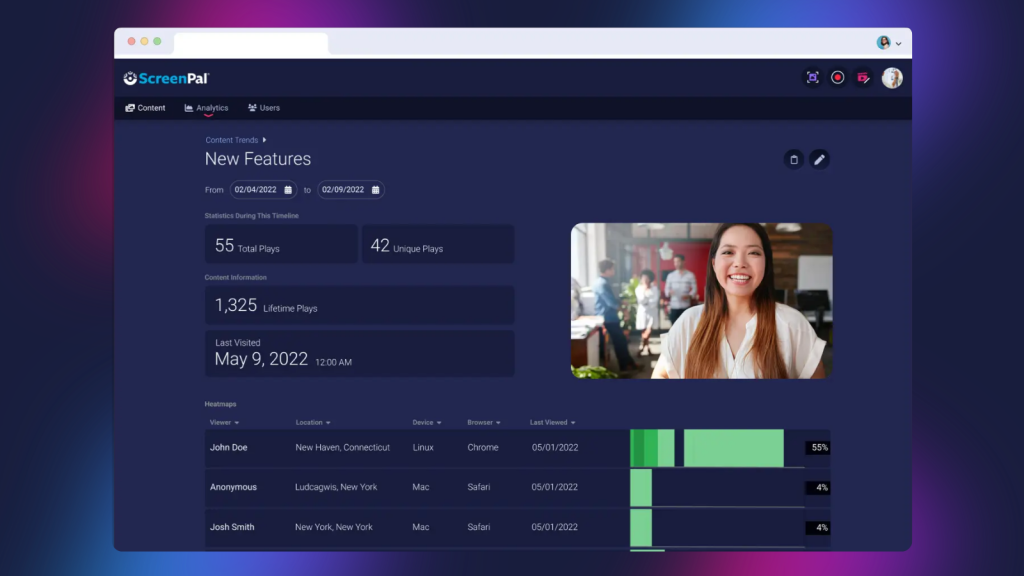
Changing an established teaching practice can be difficult, especially when faculty believe a longer lecture provides students with more complete instruction. SNHU used ScreenPal analytics to make the results of different approaches visible.
Faculty could examine who watched a video and how long viewers remained engaged. That information helped demonstrate that shorter, focused videos often held students’ attention more effectively than lengthy lecture recordings.
Importantly, SNHU did not position the data as a compliance measure or a way to evaluate whether faculty were doing enough. Analytics became a tool for reflection and improvement.
That distinction helped build trust. Rather than hearing that their current approach was wrong, faculty could see how students interacted with their content and decide what to adjust. Those already enthusiastic about video could use the same data to refine their work even further.
SNHU is also exploring how ScreenPal data can connect with other institutional dashboards. Bringing those sources together could provide a more holistic view of how video use relates to student participation and learning.
For other institutions, the lesson is valuable: Data is more likely to inspire change when it gives educators useful evidence about learning, not when it feels like surveillance.
Making accessibility part of the faculty-created video process
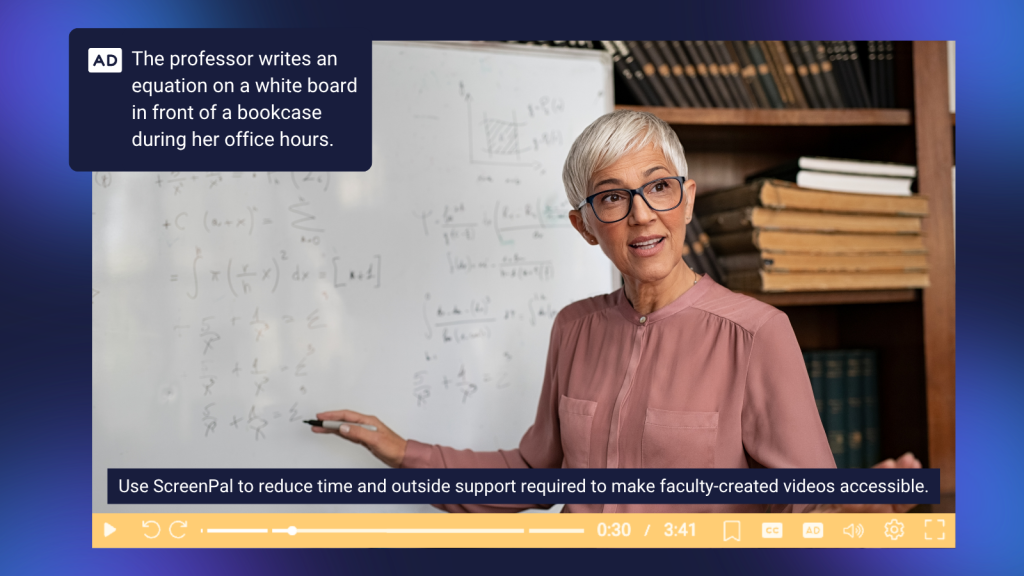
SNHU takes an accessibility-first approach across both its online and campus courses. Video is used widely throughout those environments, so accessible video cannot be treated as an optional finishing step.
The challenge is different across the institution. Online courses typically move through a more structured design process, allowing accessibility to be addressed during development. Campus materials, on the other hand, are often created directly by individual faculty members. The process therefore needs to be straightforward enough for educators to manage independently.
ScreenPal’s automated captioning helped reduce the time and outside support required to make videos accessible. Aaron emphasized that caption accuracy was one of the original reasons SNHU selected the platform. Because the initial captions generally require little editing, and corrections can be made directly within the video workflow, faculty do not need specialized knowledge of caption files or separate captioning software.
This approach moves responsibility closer to the moment of creation. Faculty can record, generate captions, review them, and publish an accessible video through a connected process.
Aaron is also excited about using audio descriptions to make visual information within videos accessible to more learners. His goal is for content to be prepared before a student ever needs to request an accommodation.
“We want to make sure that all of our content is accessible upfront,” he said, “so that a student doesn’t even have to ask for it.”
That proactive mindset benefits more than students with documented accommodations. Captions can support comprehension, language learning, attention, and viewing in noisy or quiet environments. Accessible design gives every learner more ways to engage with content.
Supporting a large institution with a small team
SNHU is a large university, but the team responsible for its academic technology operations is relatively lean. Aaron manages six LMS administrators and four instructional support team members serving campus faculty. ScreenPal itself is managed primarily by one person as part of a broader role.
That is possible because support is layered and many routine needs are handled before they ever reach Aaron’s team.
Faculty first benefit from an intuitive product and ScreenPal’s searchable tutorials. SNHU has also trained its service desk to provide tier-one assistance, supplying staff with internal knowledge-base articles and links to relevant ScreenPal resources. More specialized questions can then be escalated to the team’s video expert.
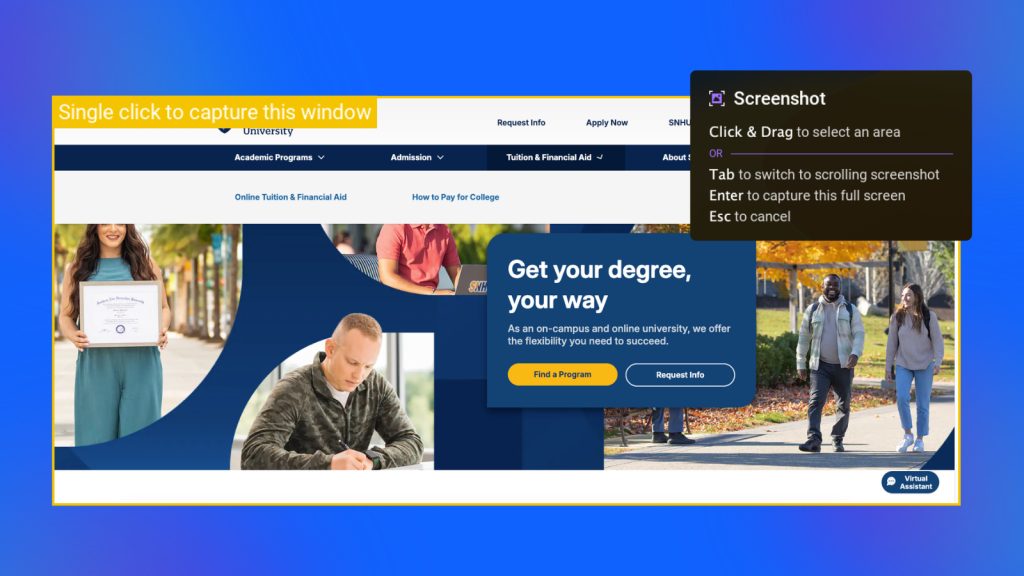
SNHU’s staff also uses ScreenPal to support other people. When a written explanation would become a long series of steps, a team member can create a short screen recording that shows the solution. Screenshots with annotations can likewise make internal documentation clearer and easier to follow.
Technical administration has been simplified through single sign-on and automated provisioning. Accounts are created when eligible users access the tool and deprovisioned when they leave the university. The team does not need to create accounts individually or repeatedly upload and maintain user lists.
Together, these practices form a sustainable support model:
- Make the tool easy to enter and learn.
- Provide strong self-service resources.
- Prepare the service desk to resolve common questions.
- Escalate only the issues that require deeper expertise.
- Automate account management wherever possible.
For a small team supporting a large institution, every avoided manual step matters.
Building faculty-created video adoption from the grassroots

SNHU did not drive long-term adoption by announcing that it had purchased a tool and requiring everyone to use it. Instead, Aaron’s team followed a grassroots approach that it often uses when introducing technology to campus faculty.
The team began with educators who enjoy experimenting. These early adopters tried ScreenPal in their own courses, developed examples, reviewed their analytics, and shared what they learned with colleagues.
Peer-to-peer influence was more persuasive than a directive from the technology team. Faculty could see a colleague applying the tool in a recognizable teaching context and understand the value for themselves. Several members of Aaron’s team also teach as adjunct faculty, giving them practical classroom experience they can bring to support conversations.
The approach can take longer than a highly orchestrated launch, but Aaron believes it produces more meaningful adoption. Faculty participate because they are interested in the possibilities and have seen evidence that the tool can help; not because they have been told they must attend training.
“Faculty were doing it because they wanted to and because they were excited about it,” Aaron said, “not because somebody told them they had to do it.”
The same faculty champions can continue fueling adoption over time. As they test new formats, share student responses, and demonstrate results, they give others practical reasons to begin.
Expanding video creation to students
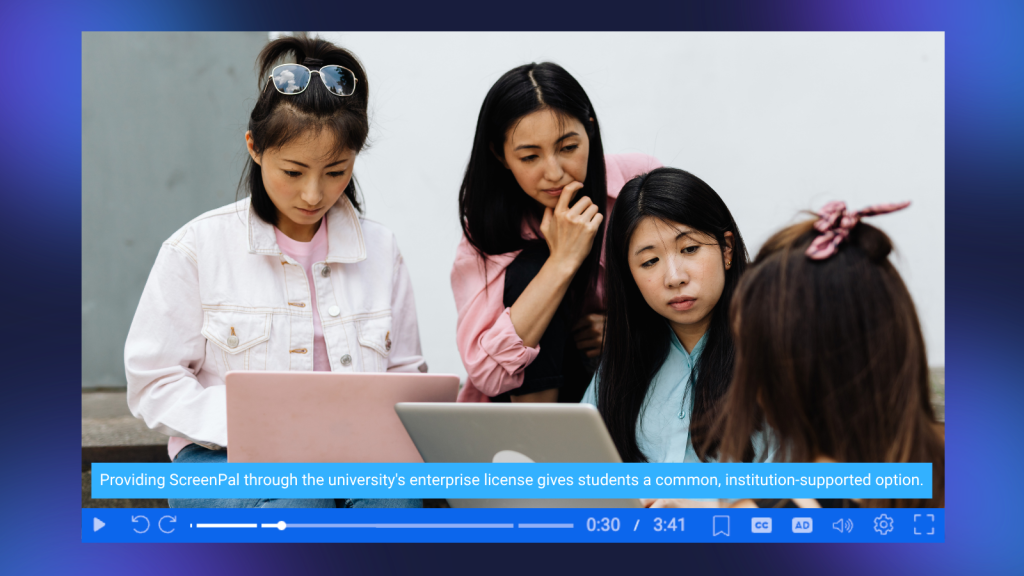
SNHU’s next chapter is not limited to faculty-created videos. The university is expanding ScreenPal access so students can create content in selected courses and programs.
Cost and consistency helped shape that decision. Some video, photography, and media assignments require software that students might otherwise need to purchase for only eight or sixteen weeks. Individual tools can cost hundreds of dollars, introduce different technical requirements, and create support problems when every student arrives with a different setup.
Providing ScreenPal through the university’s enterprise license gives students a common, institution-supported option. Accounts can be created automatically, managed centrally, and eventually deprovisioned when students graduate or complete their work.
Student-created video also opens new instructional possibilities. Learners can explain a process, demonstrate a skill, reflect on a concept, present an argument, or respond to a classmate. Creating a video requires students to organize their thinking and communicate what they understand, moving them from content consumers to active participants.
Institutions that want to experiment before provisioning full student accounts can also use a ScreenPal Channel recorder. Students can submit recordings to a curated Channel without logging in, creating a lower-barrier entry point for video responses and feedback.
Using AI to repurpose and reimagine faculty-created video
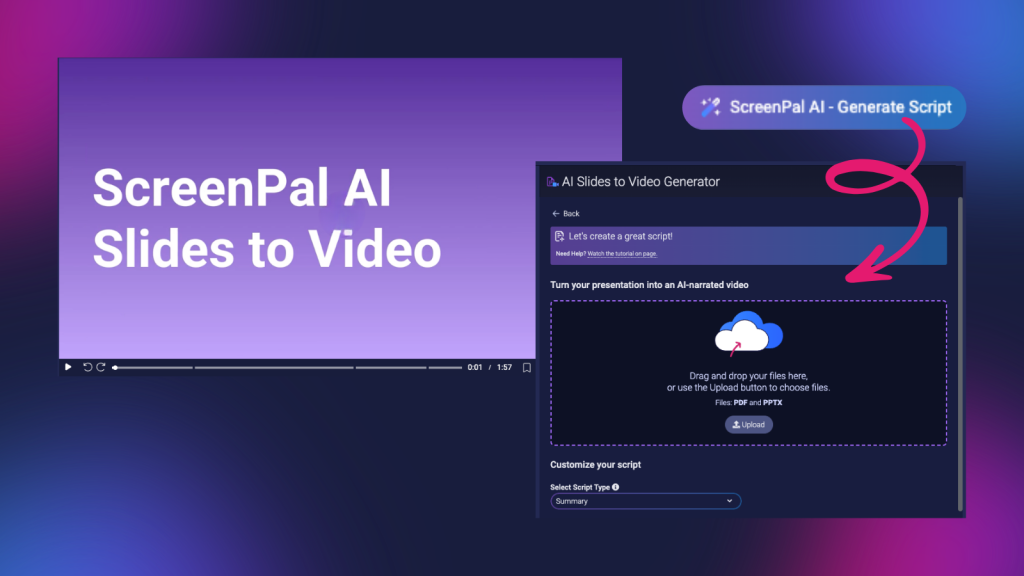
As faculty become more comfortable with short-form video, AI-assisted workflows offer new ways to create and refresh learning materials.
Aaron highlighted tools that generate videos from slides or text. With ScreenPal’s Slides to Video workflow, for example, an educator can upload a PowerPoint or PDF, generate or refine a script, and add AI narration. The resulting video can then be edited, captioned, and enhanced with questions or other interactive elements.
For SNHU faculty, this creates an opportunity to repurpose existing resources. A long presentation once used for an hour-long lecture can be divided into several smaller sections and transformed into focused micro-lessons. Faculty do not need to rebuild years of course material from scratch; they can reshape it around how students are more likely to engage today.
AI also lowers the cost of experimentation. When a short video takes less time to produce, instructors can test an approach, review its performance, gather student feedback, and revise it. The goal is not to generate as much content as possible. It is to spend less time on repetitive production work and more time improving the learning experience.
SNHU is approaching AI thoughtfully through an institutional team and a broader, holistic strategy. Aaron’s comments offered a helpful reminder for other universities: AI features should fit within an institution’s standards and goals, even when they are embedded in an already approved platform.
The next faculty-created video evolution: From passive viewing to active learning
When asked to imagine the future of video in higher education, Aaron focused on two priorities: making every video accessible and making more videos interactive.
Higher education has already begun moving from full lecture capture toward shorter content. The next step is to move from passive viewing toward active learning.
Quizzes can check understanding at key moments and prompt learners to retrieve what they have just heard. Polls or ratings can collect reactions. Annotation and call-to-action buttons can connect students to the next resource or activity. Even image, text, GIF, and video overlays can introduce visual change and help draw attention to essential information.
Interaction can also extend beyond the player. After watching a video, students might record a response, demonstrate the next step, or explain how they would apply the idea. A collection of student videos can create opportunities for reflection, peer learning, and authentic assessment.
The important question is not simply whether a video includes an interactive feature. It is whether the learner has a reason to think, decide, practice, or respond.
Aaron’s advice for instructional technology leaders implementing faculty-created video

Aaron’s advice for leaders who want faculty to create more effective video was not to begin with a mandate or a large-scale production plan. It was to experiment.
Create a few examples. Find the faculty members who are eager to try something new. Let them use those examples in real courses, iterate on their work, and share what happens.
Then ask students directly.
Institutions often wait for end-of-course evaluations to learn what students think, but those broad surveys may not reveal whether a particular video helped. Aaron encouraged educators to involve learners more intentionally in the design process. Ask whether the video was useful. Ask what held their attention, what remained unclear, and what would have made the resource more effective.
Those questions do two things at once. They give faculty actionable feedback, and they invite students to think about how they learn.
The final goal is not a larger video library. As Aaron put it, institutions should avoid “pumping out just content.” There is already an abundance of content available. What students need is useful, engaging content designed for a clear purpose.
Key takeaways
SNHU’s experience offers a practical model for institutions that want to scale meaningful video without overwhelming faculty or support teams:
- Reduce friction from the beginning. Choose tools faculty can enter easily and continue exploring as their needs grow.
- Design for accessibility before a request is made. Build captioning and audio description into the normal creation workflow.
- Replace long recordings with focused moments. Short videos can explain one concept, provide timely guidance, and strengthen instructor presence.
- Use analytics as evidence for reflection. Help faculty understand learner behavior without turning data into a compliance exercise.
- Let trusted faculty lead adoption. Early adopters can create relevant examples and influence colleagues more effectively than a top-down mandate.
- Create a layered support model. Combine intuitive technology, self-service resources, service-desk training, expert escalation, and automated administration.
- Invite students to create, not only consume. Video assignments can support demonstration, reflection, communication, and authentic assessment.
- Use AI to transform existing materials thoughtfully. Repurpose lectures and presentations into accessible, focused learning experiences instead of generating content for its own sake.
- Ask learners what works. Direct feedback can help educators improve individual resources and involve students in shaping the learning experience.
SNHU began using ScreenPal in response to an urgent disruption, but the university did not stop at recreating the classroom on video. Its evolving approach shows what becomes possible when technology is easy to use, accessibility is built in, and educators have room to experiment.
The result is not simply more faculty-created content. It is a shift from capturing lectures to creating shorter, more personal, more interactive learning experiences—and giving both faculty and students a meaningful role in what comes next.
About Aaron Flint
Aaron Flint is the Senior Director of Academic Technology Operations at Southern New Hampshire University. He leads teams supporting learning management systems, instructional technology, and campus faculty, with a focus on making educational technology accessible, manageable, and effective at institutional scale.