

 Main Menu
The conversation around screen time in schools has gotten louder.
Schools and states are introducing new restrictions on student devices. Educators are wrestling with the impact of social media, distraction, and always-connected classrooms. At the same time, artificial intelligence and digital tools are becoming more deeply embedded in how students learn, communicate, and create.
So, is technology helping learning, or hurting it?
According to educator, author, and Ditch That Textbook creator Matt Miller, that might be the wrong question.
During his session at ScreenPal’s Innovative Learning Summit, Make screen time count: Purposeful AI and technology for meaningful K-12 learning, Matt challenged educators to move beyond the all-or-nothing debate about technology and instead consider something much more practical: What are students actually doing with the time they spend on a screen?
Matt framed the session around an intentionally restrictive scenario:
If you only had 15 minutes of student screen time and one tool, how would you use it?
When every minute matters, simply putting students on devices isn’t enough. Technology has to earn its place in the learning experience.
And that means the goal shouldn’t be maximizing, or necessarily minimizing, screen time. It should be maximizing intention.
What you’ll learn
Short on time? Jump to the ideas that are most useful for your classroom:
- Find the “sensible middle” of the screen time debate
- Build community instead of isolation
- Show instead of tell
- Turn passive viewing into active engagement
- Meet students where they already are
- Use video to break down barriers to learning
- Unlock creativity instead of digitizing the worksheet
- Use AI to create more space for humanity
- Take the 15-minute challenge
Finding the “sensible middle” of the screen time debate
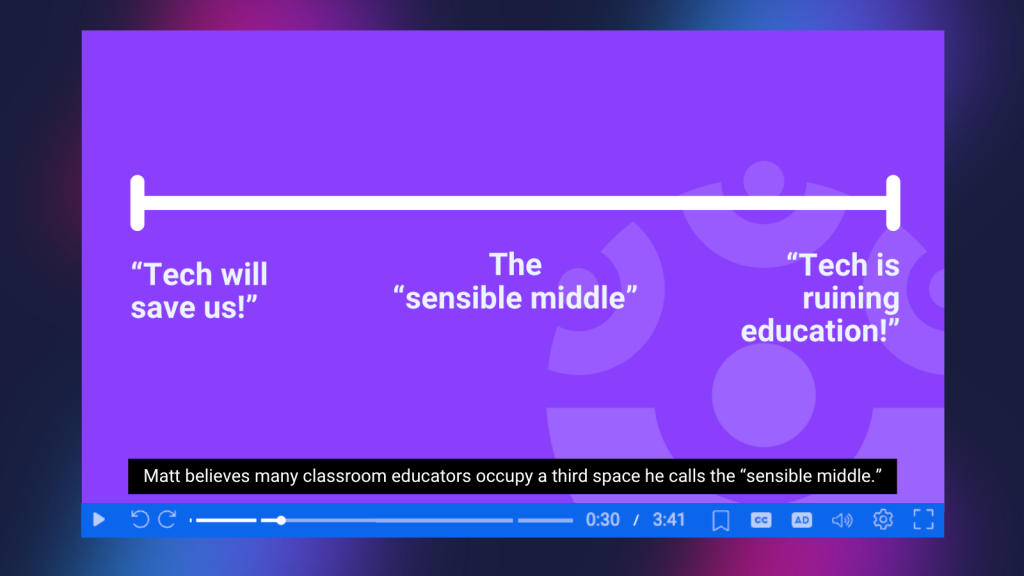
Matt described much of today’s conversation about classroom technology as a spectrum. On one end are the technology evangelists: AI and technology are going to revolutionize education. On the other are the technology skeptics: screens are ruining education, and schools need to return to paper, pencils, and more traditional instruction.
But Matt believes many classroom educators occupy a third space he calls the “sensible middle.”
Educators in the sensible middle recognize that technology can create distractions, isolation, and other very real challenges. But they also recognize that digital tools can enable learning experiences that would be difficult, or sometimes impossible, to create otherwise.
The question becomes: Does this technology help students accomplish the learning goal?
If it does, use it. If it doesn’t, don’t.
That distinction is especially important when talking about video. Playing a video for an entire class period doesn’t automatically make a lesson engaging or effective. Many educators have memories of the television and VCR cart rolling into the classroom on movie day, and Matt readily admitted that he had used the occasional movie as a teacher, too. Video, in this case, becomes little more than a digital babysitter.
But used intentionally, video can also make abstract concepts visible, give students greater access to instruction, encourage active participation, create shared experiences, and give learners new ways to demonstrate what they know.
Matt shared six ways educators can use video to make limited screen time more meaningful.
1. Build community instead of isolation through screen time
One of the biggest concerns surrounding screen time is isolation.
Matt described the familiar scene of students sitting together while simultaneously existing in completely separate digital worlds: one student, one device, one set of earbuds, one algorithm.
Screens can divide people. But that doesn’t mean they always have to.
Matt asked participants to think about a time when watching something actually created a sense of community. Attendees mentioned drive-in movies, 3D movies, the Taylor Swift Eras Tour movie, and dressing up with friends for Star Wars and Harry Potter premieres. These experiences weren’t isolating. They were shared.
That same principle can apply in the classroom.
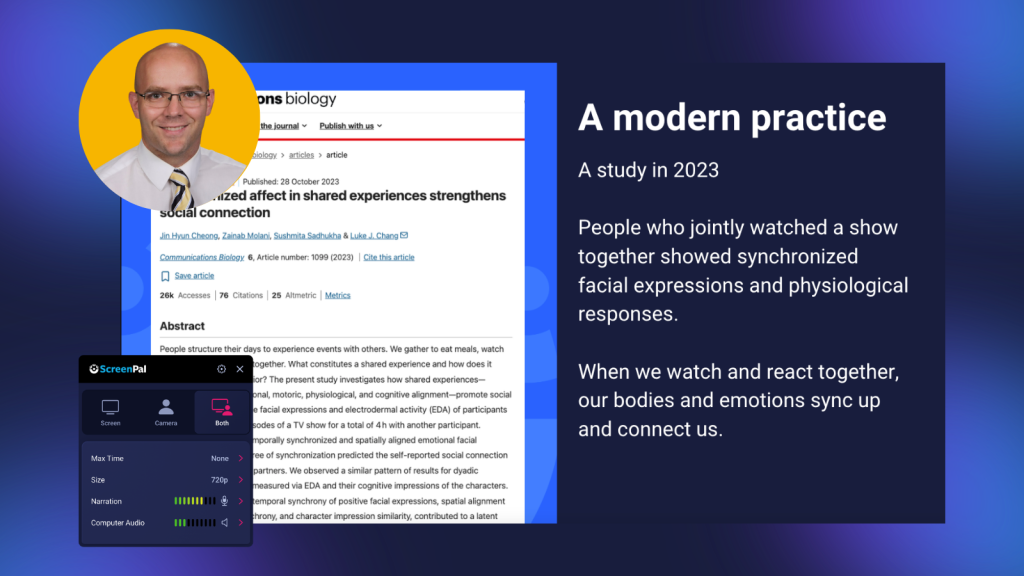
Watching a short video together gives students a common experience they can react to, question, discuss, and remember together. Matt connected this idea to research around shared emotional experiences and what sociologist Émile Durkheim called collective effervescence, the sense of connection that can develop when people experience something meaningful together.
More recent research Matt shared similarly suggests that people watching something together can synchronize their reactions and emotional responses.
For educators, there’s an important distinction here: The screen isn’t creating isolation or community by itself. The learning design around it matters.
Instead of automatically sending every student to an individual device, educators might occasionally bring the class together around one screen. Pause the video. Ask for predictions. Invite reactions. Let students turn to a partner. Discuss what surprised them.
The video becomes a catalyst for conversation rather than a replacement for it.
Try it in your classroom
Before assigning a video individually, ask yourself: Would students gain something by experiencing this together?
A short clip followed by conversation might create more learning, and more human connection, than twenty minutes of independent viewing.
2. Show instead of tell during screen time
Teachers explain things for a living. But sometimes even the best explanation can’t compete with ten seconds of the right visual.
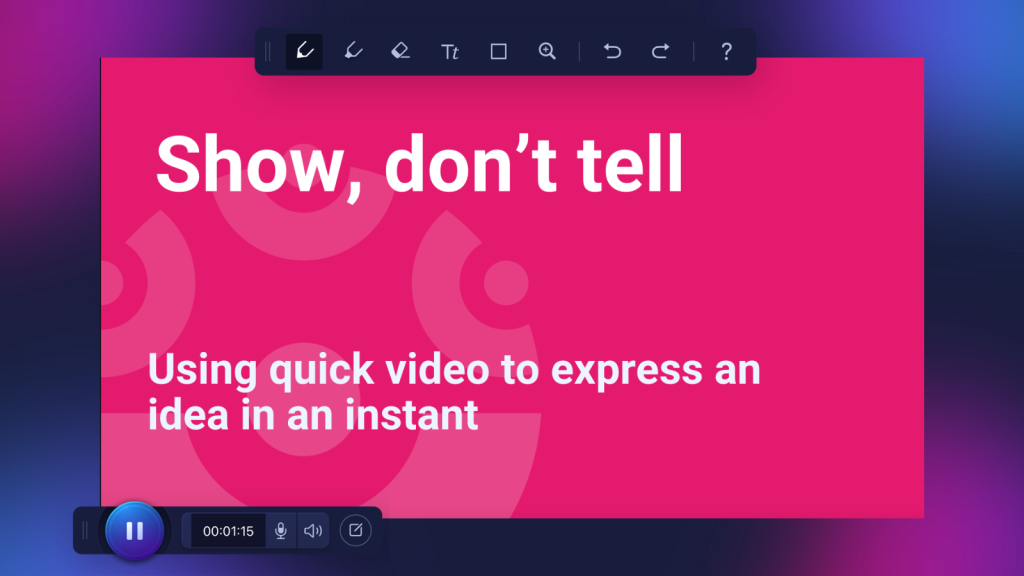
Matt’s second strategy was simple: show, don’t tell. Video can make an invisible process visible, demonstrate cause and effect, illustrate movement, show a procedure, or help students understand an abstract concept that is difficult to communicate through words alone.
During the session, participants immediately began identifying examples: scientific processes, cause and effect for younger students, procedures, and concepts students benefit from seeing more than once.
The important point wasn’t that teachers should replace their explanations with video.
Instead, educators can use professional judgment to determine which ideas are worth a thousand words, and which ideas might be better served by ten seconds of video.
Matt connected this idea to multimedia learning research: learners can benefit when words and visuals work together rather than relying on words alone.
That makes video especially powerful when the visual information is doing instructional work. Rather than asking, “Could I make a video about this?” consider: “Would seeing this help students understand something they can’t understand as easily by hearing or reading about it?”
If the answer is yes, those might be minutes of screen time worth spending.
3. Turn passive screen time viewing into active engagement
Watching isn’t necessarily learning. Students can sit quietly through an entire video without processing much of what they see. That’s why Matt’s third strategy focuses on shifting video from passive consumption to active engagement.
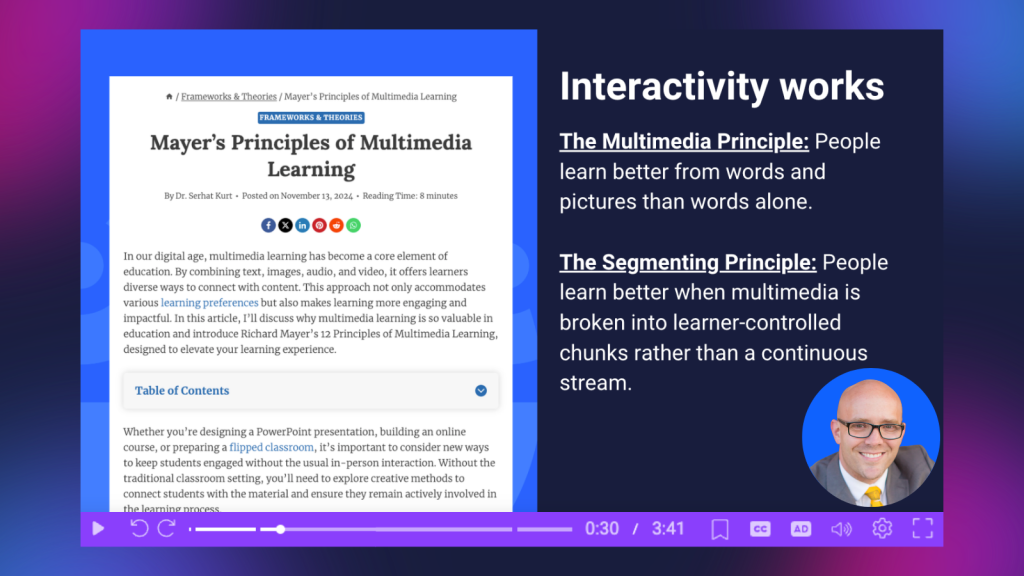
He connected this idea to Richard Mayer’s principles of multimedia learning, including the multimedia principle, which suggests people learn better from words and pictures than from words alone, and the segmenting principle, which supports breaking multimedia into learner-controlled chunks instead of presenting it as one continuous stream.
That second principle probably sounds familiar to anyone who has ever chosen six five-minute videos over one 30-minute video. Shorter segments create natural stopping points. Students can process an idea before moving forward. Teachers can ask questions, check understanding, or invite reflection. Video doesn’t have to be something learners simply press play on and finish.
With ScreenPal video quizzes, for example, educators can insert questions and polls directly into a video, turning viewing into an active learning experience. Instead of wondering whether students watched or understood the content, teachers can see responses and use that information to inform what happens next.
AI can make that process more efficient, too. ScreenPal’s AI-powered video quiz generator can generate questions and answers based on video content, reducing the time educators spend building basic comprehension checks.
Matt saw that as one of AI’s most promising roles in education; not replacing the teacher’s thinking, but taking repetitive work off the teacher’s plate.
When AI handles some of the mechanical work, educators can spend more of their time on the work that requires their humanity: responding to students, designing meaningful experiences, giving feedback, and building relationships.
Make video a conversation
Try breaking a longer instructional video into smaller segments and asking students to do something between them:
- Answer a question or poll.
- Predict what happens next.
- Summarize the idea in one sentence.
- Identify the most important detail.
- Explain the concept to a partner.
- Connect the idea to something they’ve already learned.
Even a small interaction can shift students from watching content to thinking with content.
4. Meet students where they already are
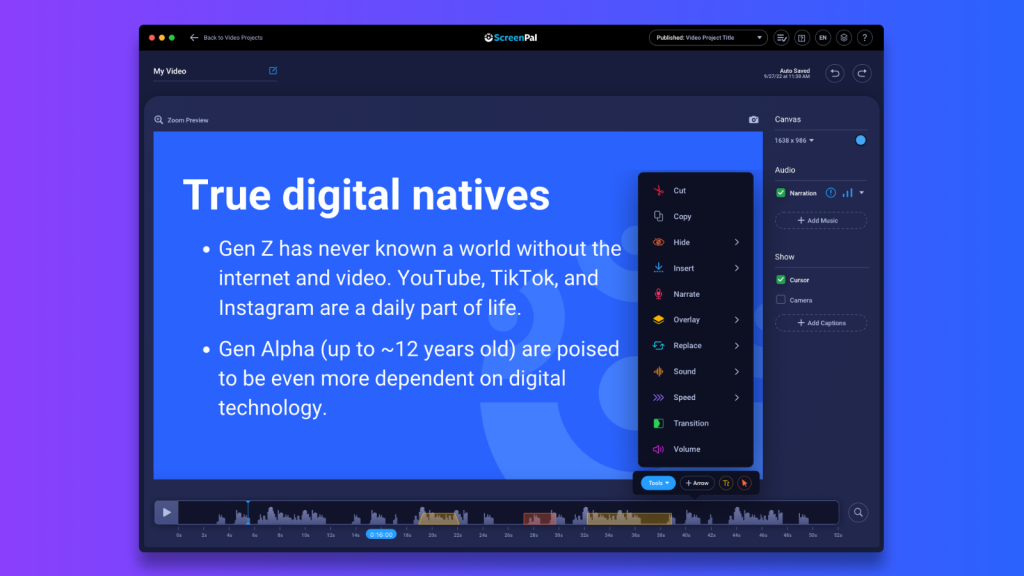
Students already understand video. They watch unboxing videos, tutorials, reaction videos, product reviews, street interviews, travel vlogs, Q&As, rankings, debates, tips and tricks, and countless other formats across YouTube, TikTok, Instagram, and other platforms.
Matt’s suggestion wasn’t to turn the classroom into TikTok. It was to recognize that students already understand the language and conventions of these video formats.
Why not use that familiarity for learning?
Imagine asking students to create:
- An unboxing video from the perspective of a character in a novel.
- A product review of an invention from history.
- A travel vlog through an ancient civilization.
- A tutorial explaining how to solve a math problem.
- A reaction video responding to a primary source.
- A ranked list of the most important events in a historical period.
- An on-the-street interview with characters from a story.
- A tips-and-tricks video explaining a scientific process.
Students don’t have to spend time learning what a product review or unboxing video is. They already understand the format. That frees them to concentrate on the academic thinking inside it.
Matt compared these formats to a language students already speak. If students already know how to communicate through that language, educators can give them opportunities to use it to talk about classroom content.
The educational unboxing video
One example Matt highlighted was the unboxing video.
Instead of opening a package from a brand or online retailer, students could receive a fictional package connected to what they’re studying.
What would a character from a novel send you? What would you put in a package for that character before they face the story’s central conflict? What would arrive in a box sent from a particular year in history? What would you send your past self?
The activity may feel playful, but underneath it students are making decisions, selecting evidence, establishing significance, explaining their reasoning, and demonstrating their understanding.
And the production doesn’t need to be elaborate. Students can simply press record and explain their choices.
With ScreenPal, students can quickly record their screen, webcam, or both from the web, app, or Chrome extension. Educators can also use a Channel recorder to give students a direct place to submit video responses, with moderation available when teachers want to approve submissions before they’re shared.
The goal isn’t a polished video. It’s meaningful thinking expressed through a format students already understand.
5. Use screen time and video to break down barriers to learning
Accessibility isn’t something that only benefits students with formal accommodations.
As Matt emphasized, accessibility improves learning for everyone.
Consider captions.
Many students now choose to watch videos with captions turned on even when they don’t technically need them. They’re accustomed to seeing captions on social media, where videos are frequently watched without sound.
Captions can help when audio is difficult to hear, when someone speaks quickly, when students are learning in a noisy environment, or when they simply miss a word.
Video can provide other layers of access as well.
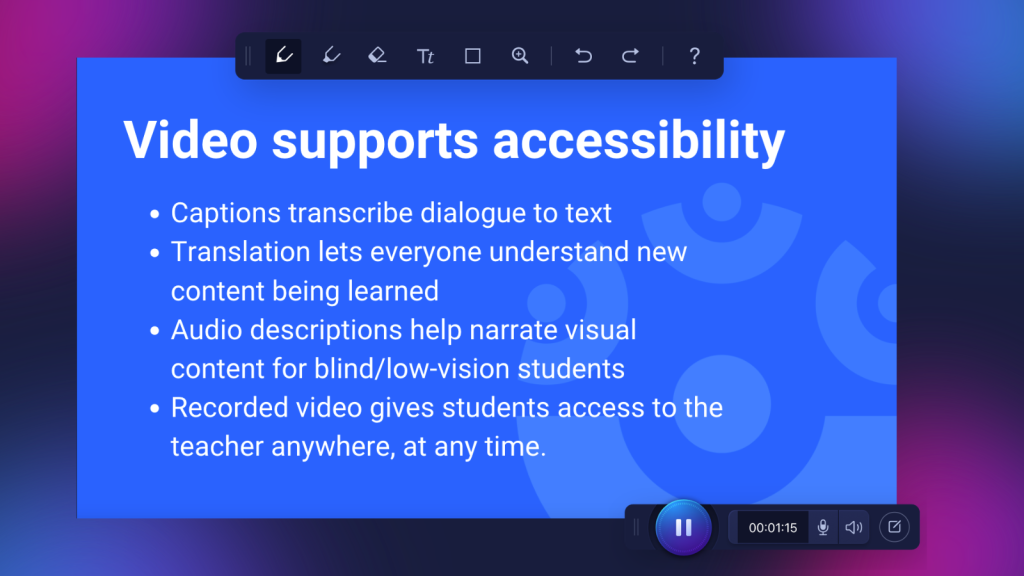
With ScreenPal, educators can add captions, translate captions into multiple languages, add text-to-speech AI narration for those captions, allow viewers to select available caption languages, and add audio descriptions that narrate important visual information.
But Matt highlighted another accessibility benefit that’s easy to overlook: Students can rewind you in video form.
Live teacher instruction disappears the moment it’s spoken. If a student misses a sentence because someone coughed, they lost focus for a moment, they needed longer to process the idea, or they simply didn’t understand it the first time, they can’t press rewind on their teacher.
Recorded instruction changes that. Students can pause, rewind, listen again, turn on captions, review a section later, return the the explanation before an assessment.
Matt shared the story of Khan Academy founder Sal Khan’s niece telling him she preferred “video Sal” because she could pause and rewind him without having to interrupt.
That small difference gives learners something enormously valuable: control over the pace of their learning.
Accessibility, in that sense, isn’t simply about meeting a requirement. It’s about removing unnecessary barriers between students and understanding.
6. Unlock creativity through screen time
Matt saved one of his biggest challenges for last. Students today aren’t simply digital consumers. They’re creators.
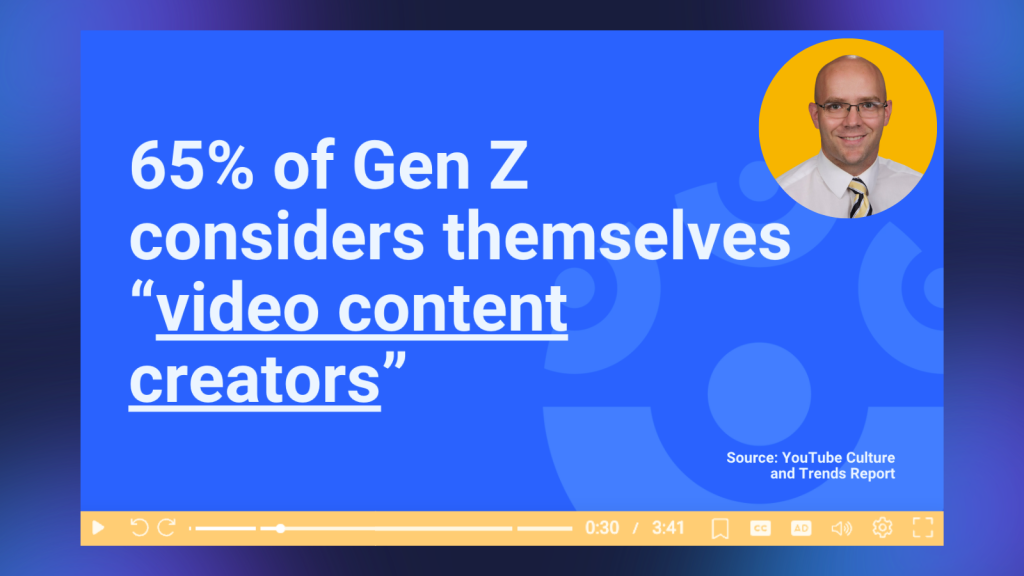
Matt cited YouTube’s Culture & Trends research indicating that 65% of Gen Z considers themselves video content creators. That makes sense when you consider how easily students create and share videos with friends, participate in trends, record tutorials, tell stories, or document everyday experiences.
Yet in school, technology is often used to reproduce the same assignments students could have completed on paper. As Matt put it, one of the least creative uses of technology is simply digitizing the same old assignment.
The tool changes when a paper worksheet becomes a digital worksheet; but the thinking doesn’t change.
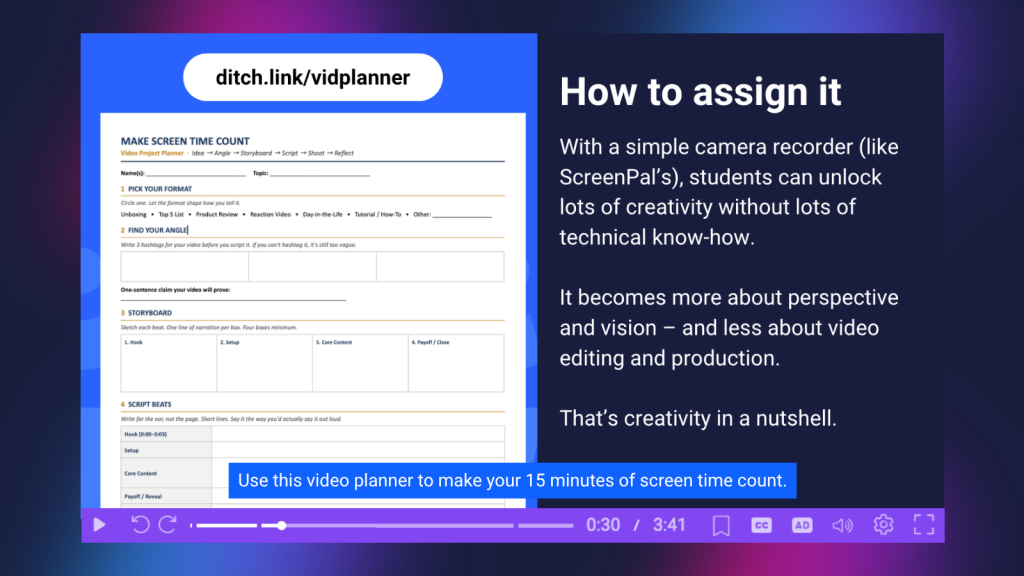
Instead, Matt encouraged educators to ask one deceptively simple question: What would this look like as a video? What if students storyboarded their explanation? What if they wrote a script for a short-form video? What hashtags would summarize the most important ideas? How would they explain the concept visually? What choices would they make if they were creating this for a real audience?
These questions require students to make decisions about perspective, audience, sequencing, emphasis, and communication. And again, production value isn’t the point.
Matt encouraged educators to keep filming and editing expectations at a reasonable level. Students don’t need elaborate transitions, perfect edits, or professional equipment to demonstrate creativity.
Sometimes they just need a record button. Creativity isn’t necessarily the polish at the end. It’s the idea.
After students create, Matt suggested adding reflection: What choice did you make that a real content creator would make?
Now students aren’t simply demonstrating knowledge. They’re thinking intentionally about how ideas are communicated.
AI should create more space for humanity, not less
Although AI appeared throughout Matt’s session, one of his most important points was that its greatest value may be in helping educators spend less time on low-value work.
AI can help generate quiz questions from a video. It can assist with planning and production. It can reduce some of the repetitive steps involved in creating learning materials.
But the payoff isn’t simply speed. It’s what teachers can do with the time they get back.
Educators can spend that time supporting a struggling learner. Designing a stronger discussion question. Giving meaningful feedback. Talking with students. Building community.
AI handles more of the mechanical work so educators can put their “human emphasis and human effort on the things that really matter.”
That’s a much different vision of AI in education than technology replacing teachers. It’s technology creating more room for teachers to be teachers.
Six ways to make screen time more meaningful
At the end of the session, Matt distilled his six strategies into six words: Community. Clarity. Attention. Belonging. Access. Voice.
Those are very different outcomes from simply asking how many minutes students spent looking at a screen.
A 45-minute video that students passively watch might contribute very little to learning.
Five minutes of video that makes an invisible concept visible could transform understanding.
Ten minutes spent recording an explanation might require students to synthesize far more learning than a worksheet.
A short shared video could launch a conversation that brings an entire class together.
The number on the screen-time clock doesn’t tell us any of that. Intention does.
The 15-minute screen time challenge
Matt closed by returning to the question that started the session: If you had 15 minutes and one tool, what would you do?
It’s a useful challenge for any educator planning for the school year.
Instead of starting with: How much screen time should students have?
Start with: What do I want students to accomplish?
Do you want to create community? Make something difficult easier to understand? Capture students’ attention? Give learners greater access? Let students demonstrate understanding in a way that wasn’t possible before? Give them a voice?
Then ask one more question: Can screen time help?
If it can, use it intentionally. If it can’t, don’t. That’s the sensible middle.
And in a moment when the conversation around AI, devices, and screen time can easily become an argument about extremes, it might also be one of the most practical ways forward.
About Matt Miller
Matt Miller is an educator, speaker, bestselling author, and creator of Ditch That Textbook, where he helps educators find practical, creative ways to use technology to improve teaching and learning. Known for cutting through the hype surrounding educational technology, Matt focuses on classroom-ready strategies that help teachers use digital tools and AI with greater purpose.
His work encourages educators to rethink traditional classroom practices, experiment with new approaches, and keep student learning, not the technology itself, at the center of instructional decisions.